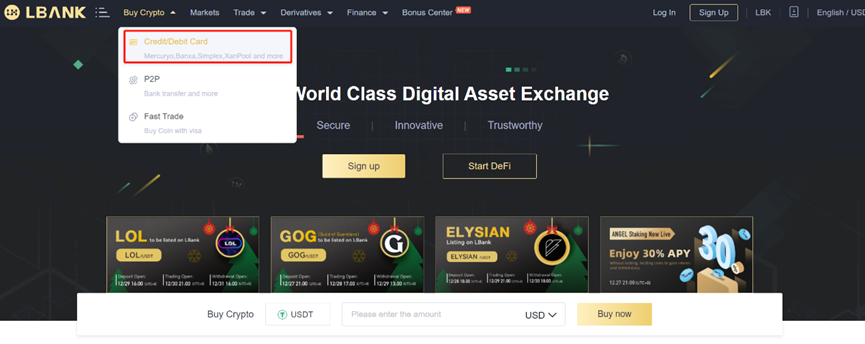
1. Log in to your LBank account and click [Buy Crypto] - [Credit/Debit Card].
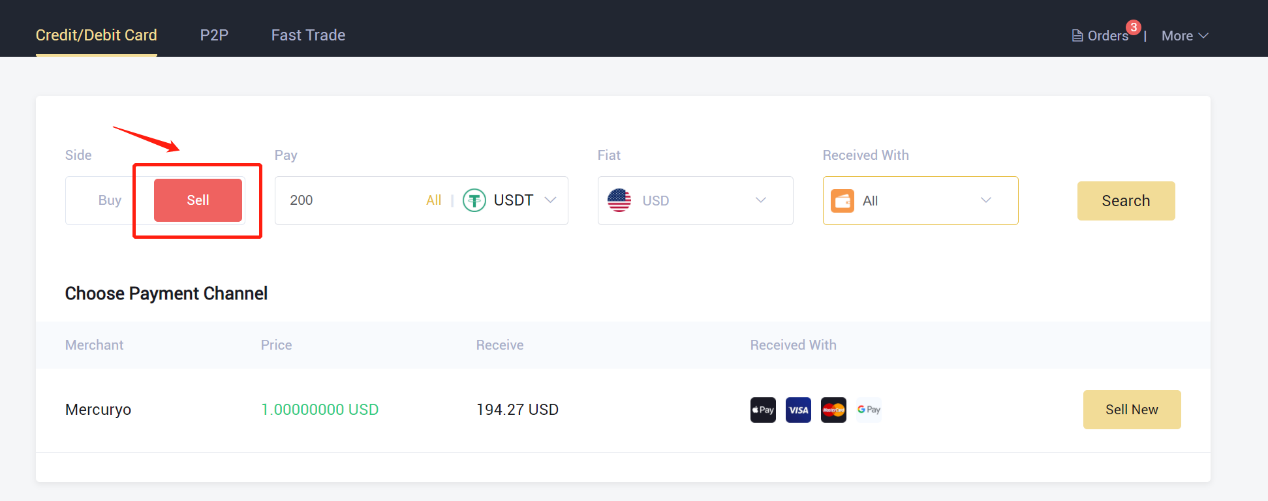
2. Click "Sell" in the Side
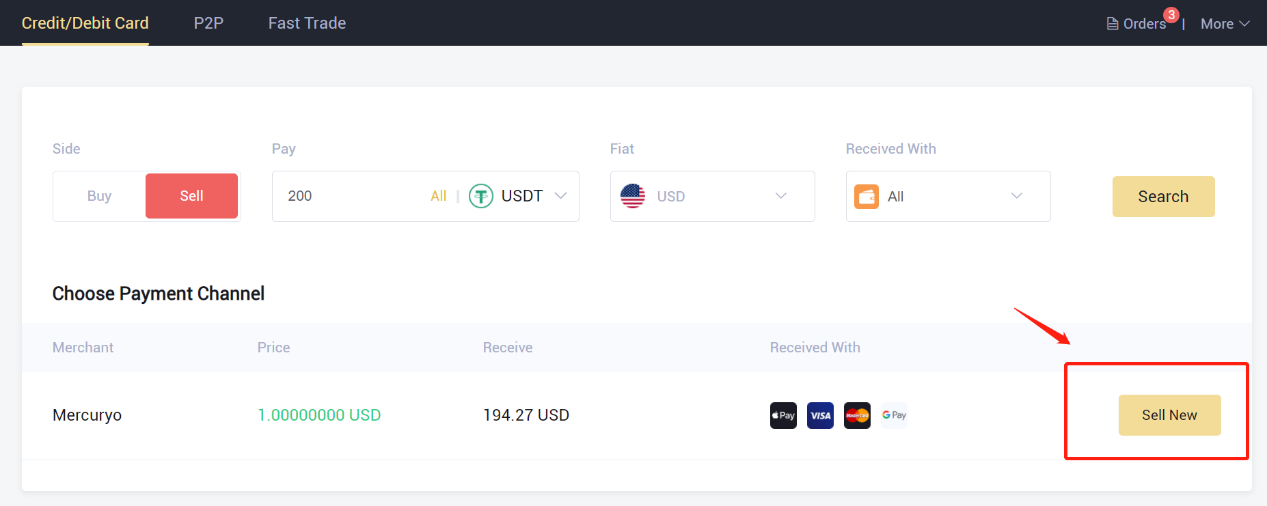
3. Enter the amount in the "Pay" and select the crypto that you wanted to sell. Then select the fiat currency you want to receive and the method of payment, click "Search". In the list below, choose a third-party platform you want to trade, and click "Sell Now".
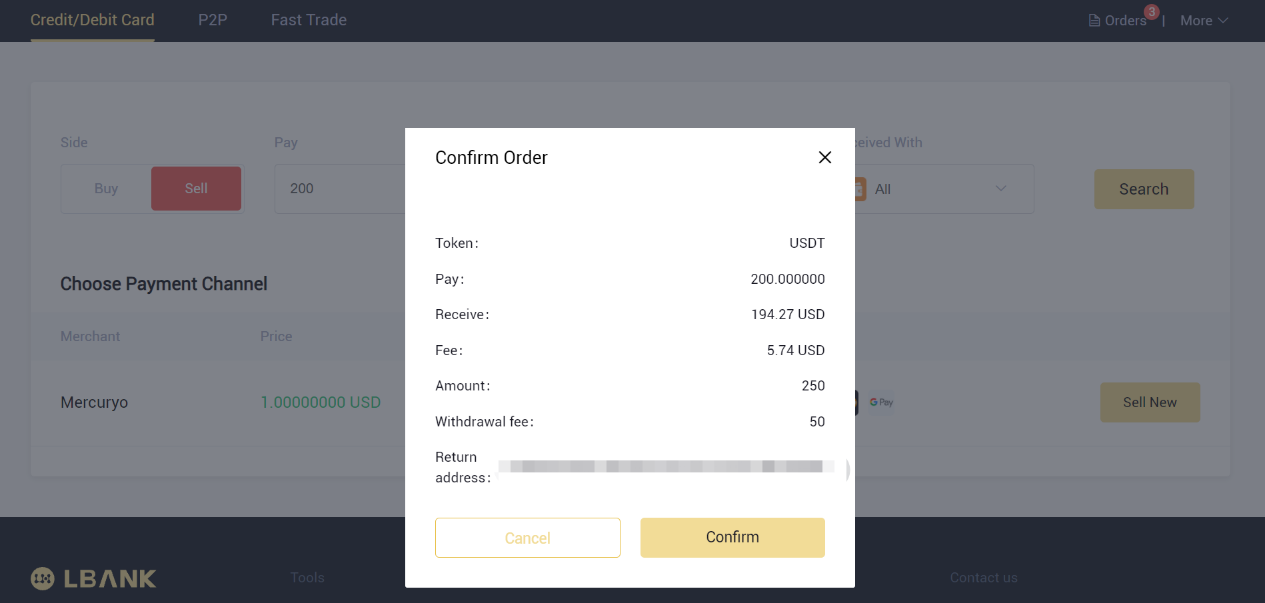
4. Check the order, then click the "Confirm" button. On the checkout page, follow the prompts to complete the payment.
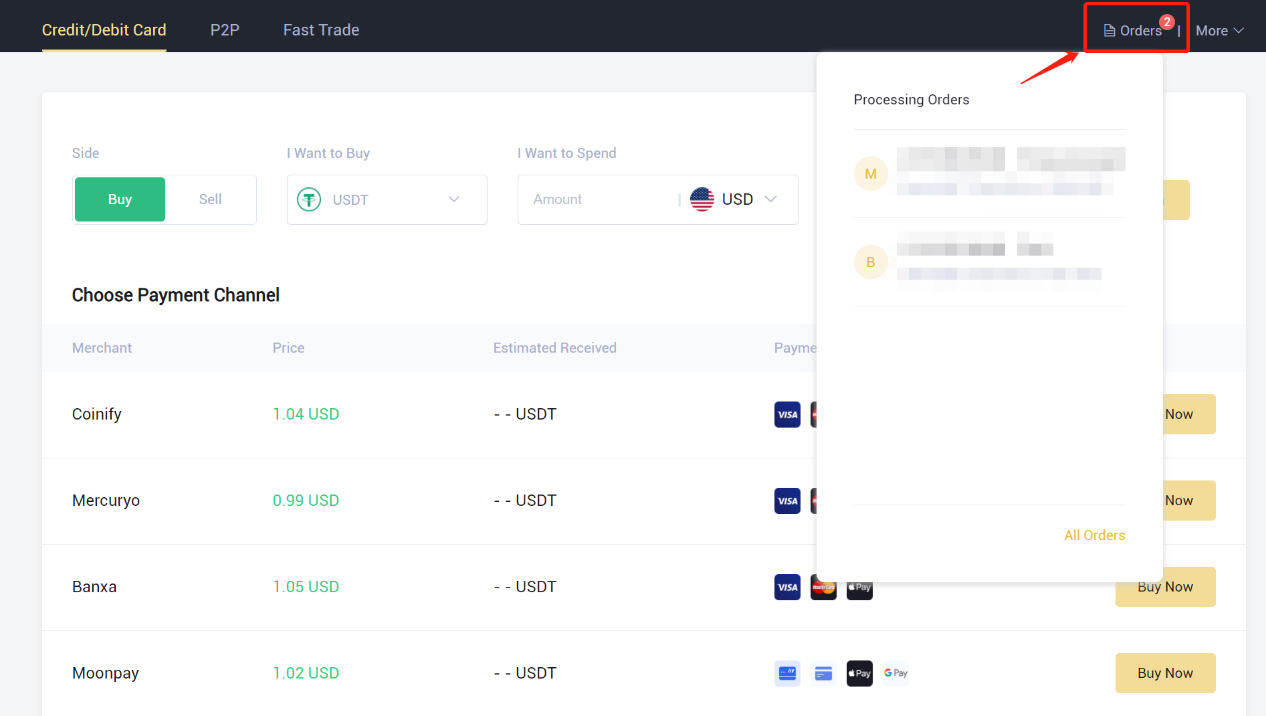
5. You can view the order information here.
Click here to download for iOS or Android
LBank community
Find us on:
Telegram: https://t.me/LBank_en
Twitter: https://twitter.com/LBank_Exchange
Facebook: https://www.facebook.com/LBank.info
Medium: https://medium.com/LBank
LinkedIn: https://www.linkedin.com/company/lbank
If you have problems, please contact LBank official email: service@lbank.info, and we will provide sincere, friendly and immediate service for you. We also welcome you to join LBank.info official English community to discuss the latest issue, (Telegram): https://t.me/LBank_en.