It happens when LBank has to delist some of the trading pairs at the request of the project side. When certain trading pair is delisted, the trading and deposit will be closed, while withdrawal is still open!
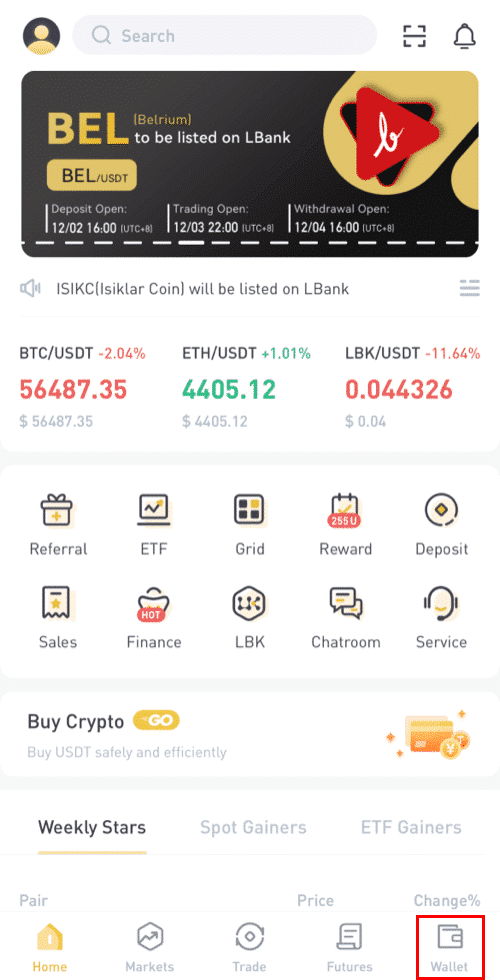
1. Log in LBank app, and click on [Wallet] in the down right corner of the home page.
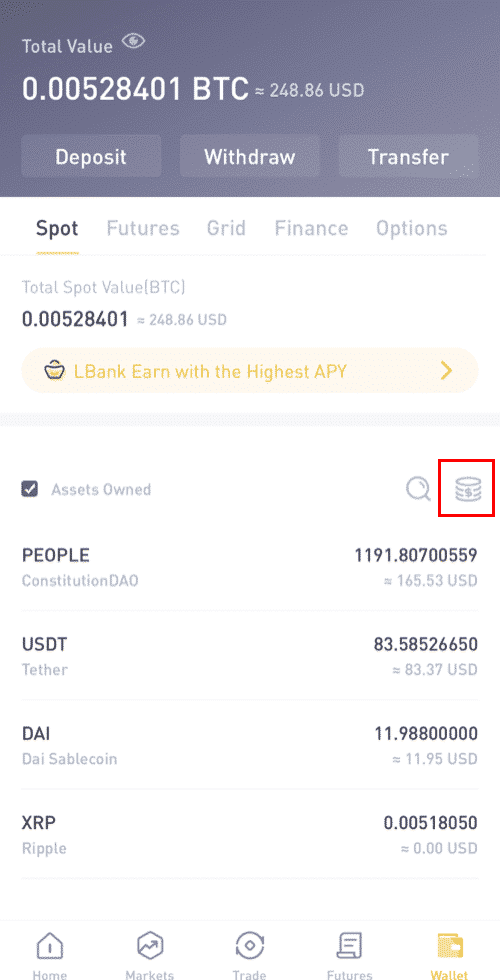
2. Click this icon as circled in the screenshot here:
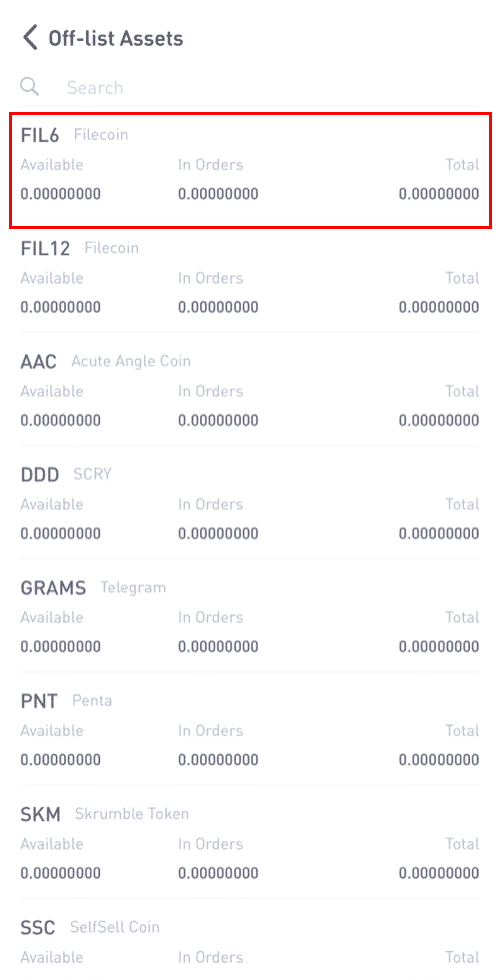
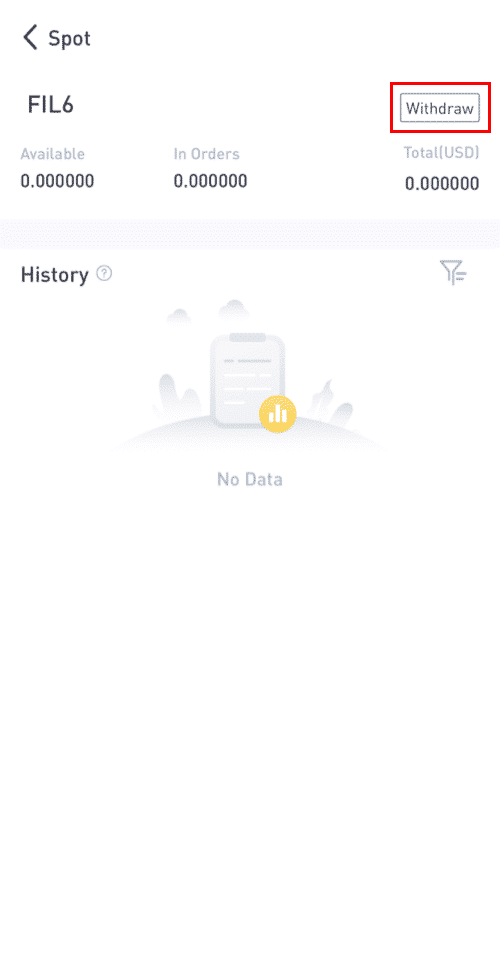
3. Now you can see all the delisted assets. If you would like to withdraw it, just click the asset -[Withdraw]. You can also see the withdrawal history here.
Related:
How to Withdraw from LBank on App?
Click here to download for iOS or Android
https://twitter.com/LBank_Exchange
https://www.facebook.com/LBank.info
https://www.linkedin.com/company/lbank
If you have problems, please contact LBank official email: service@lbank.info, and we will provide sincere, friendly and immediate service for you. We also welcome you to join LBank.info official English community to discuss the latest issue, (Telegram): https://t.me/LBank_en.