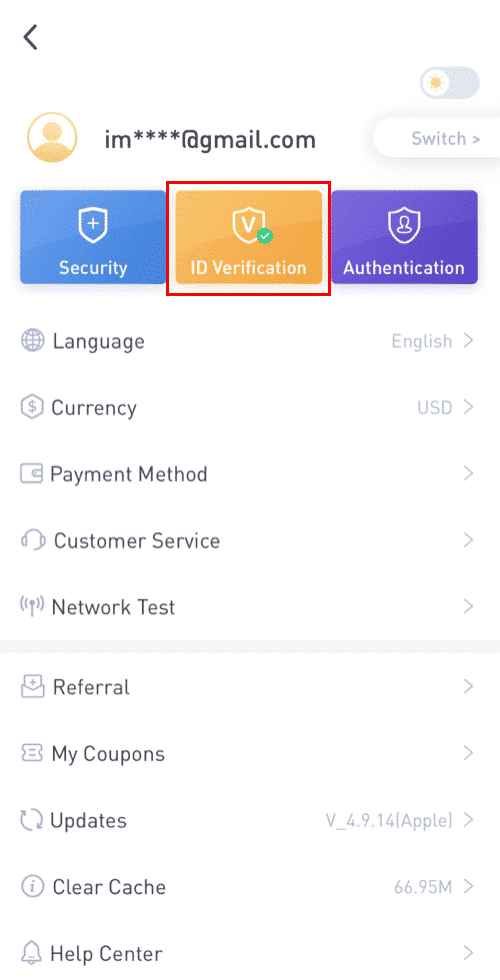
1. Log in LBank App, click on the profile tag -[KYC].
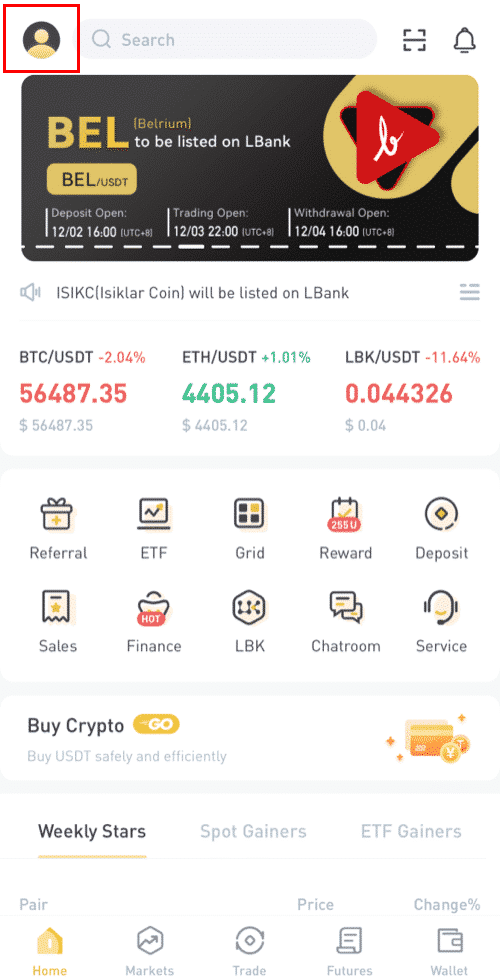
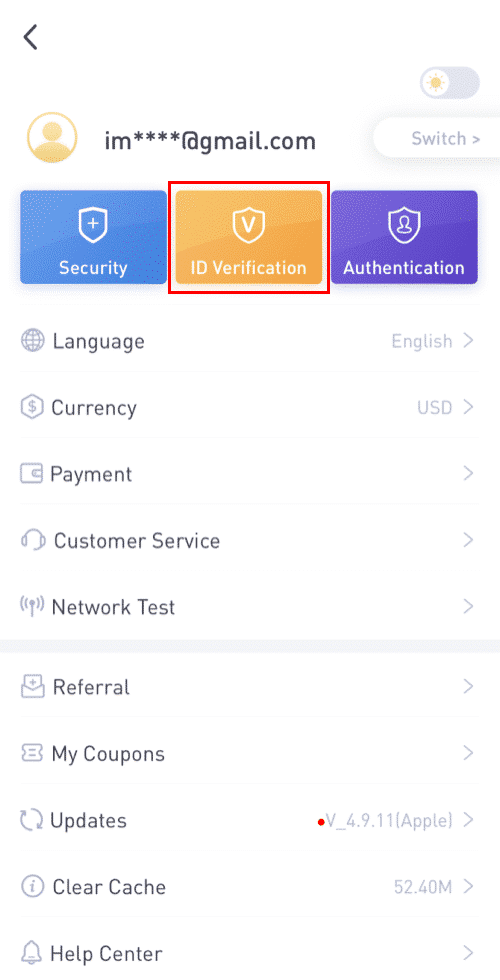
2. Fill in the info. as required and click on [Next].
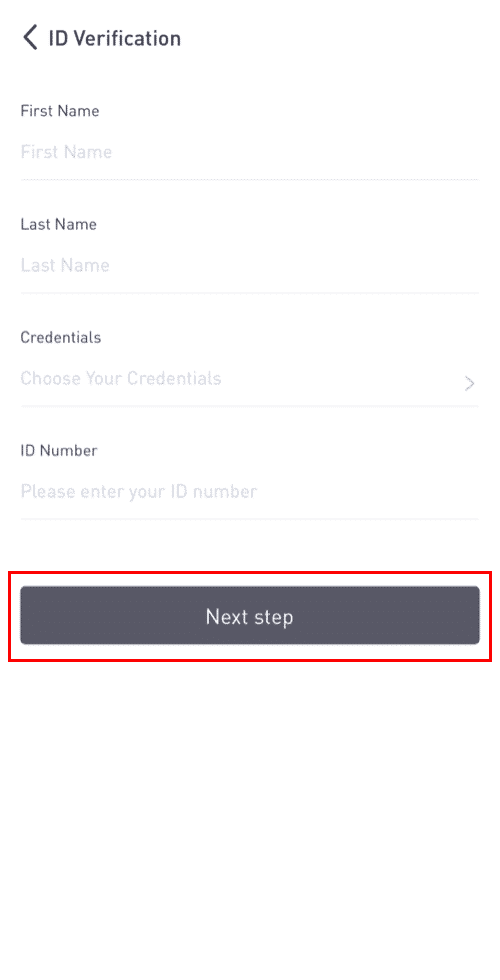
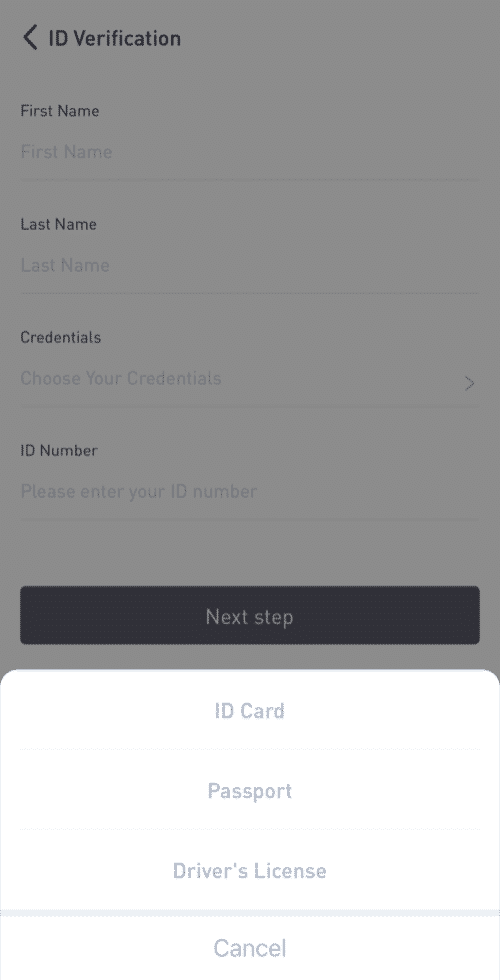
Note: There are three types of credentials that can be verified.
3. Upload the materials as required and click [Submit].
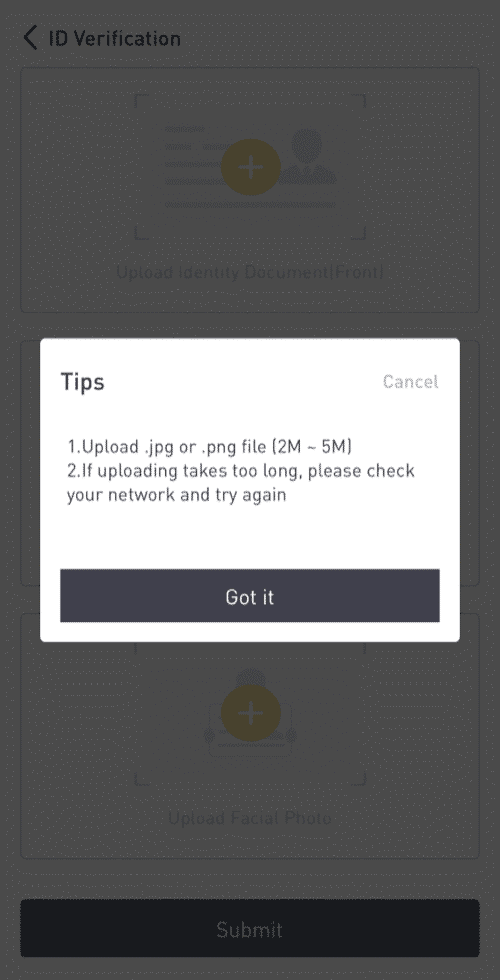
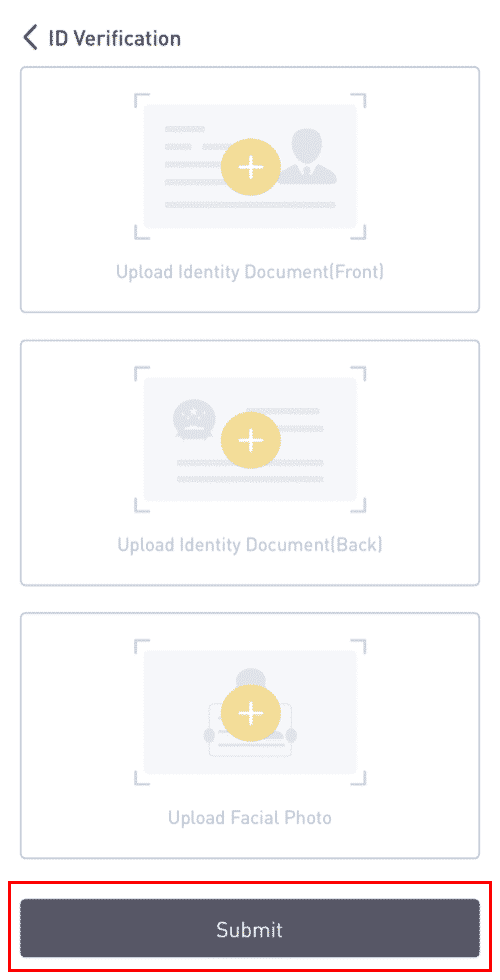
4. Your credentials will be reviewed after submitted.
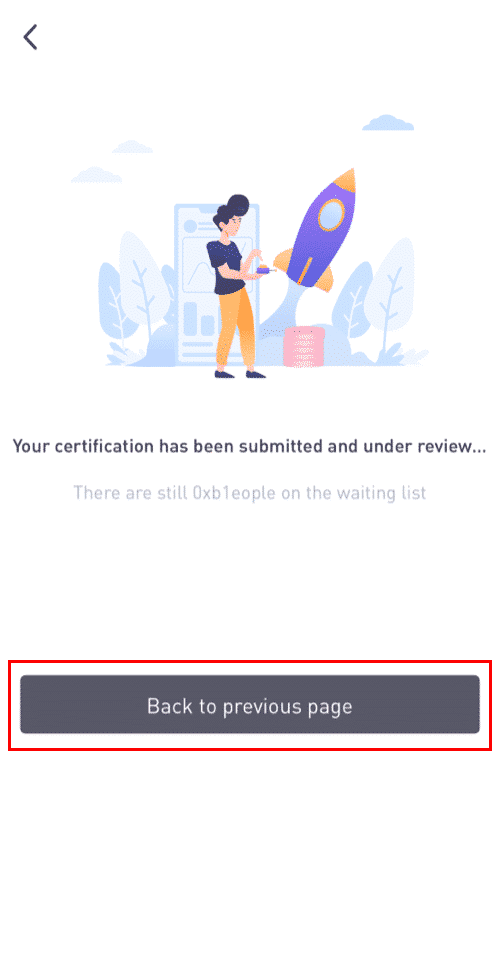
5. You may check out the review process in [ID Verification].
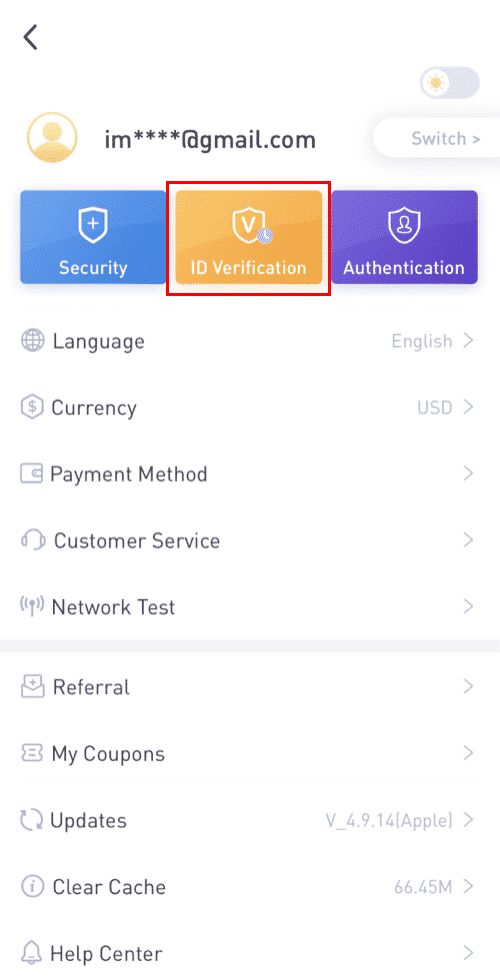
如上图所示,审核中的状态
Note: It will take some time for KYC reviewed successfully. Thanks for your patience.
How to Complete Identity Verification on LBank Web
Click here to download for iOS or Android
LBank community
Find us on:
Telegram: https://t.me/LBank_en
Twitter: https://twitter.com/LBank_Exchange
Facebook: https://www.facebook.com/LBank.info
Medium: https://medium.com/LBank
LinkedIn: https://www.linkedin.com/company/lbank
If you have problems, please contact LBank official email: service@lbank.info, and we will provide sincere, friendly and immediate service for you. We also welcome you to join LBank.info official English community to discuss the latest issue, (Telegram): https://t.me/LBank_en.