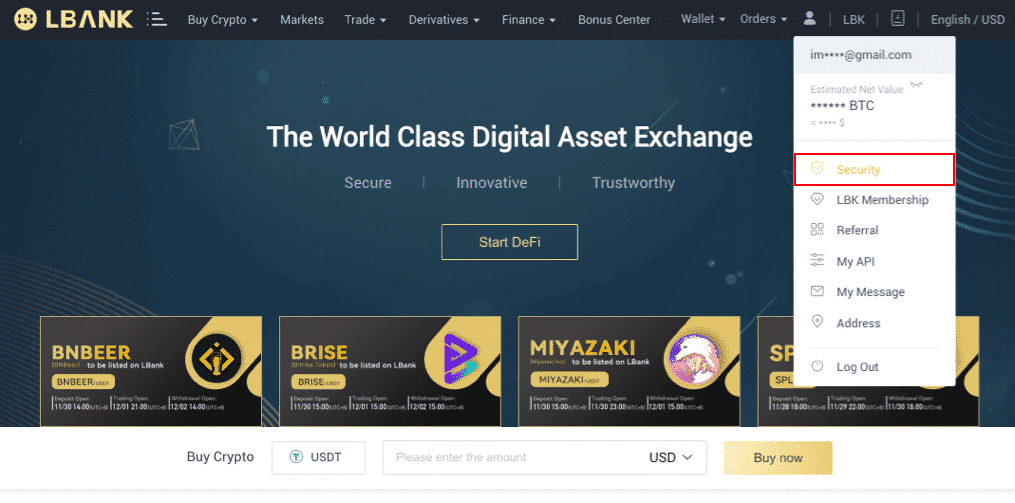
1. Long in lbank.info,and click profile tag -[Security].
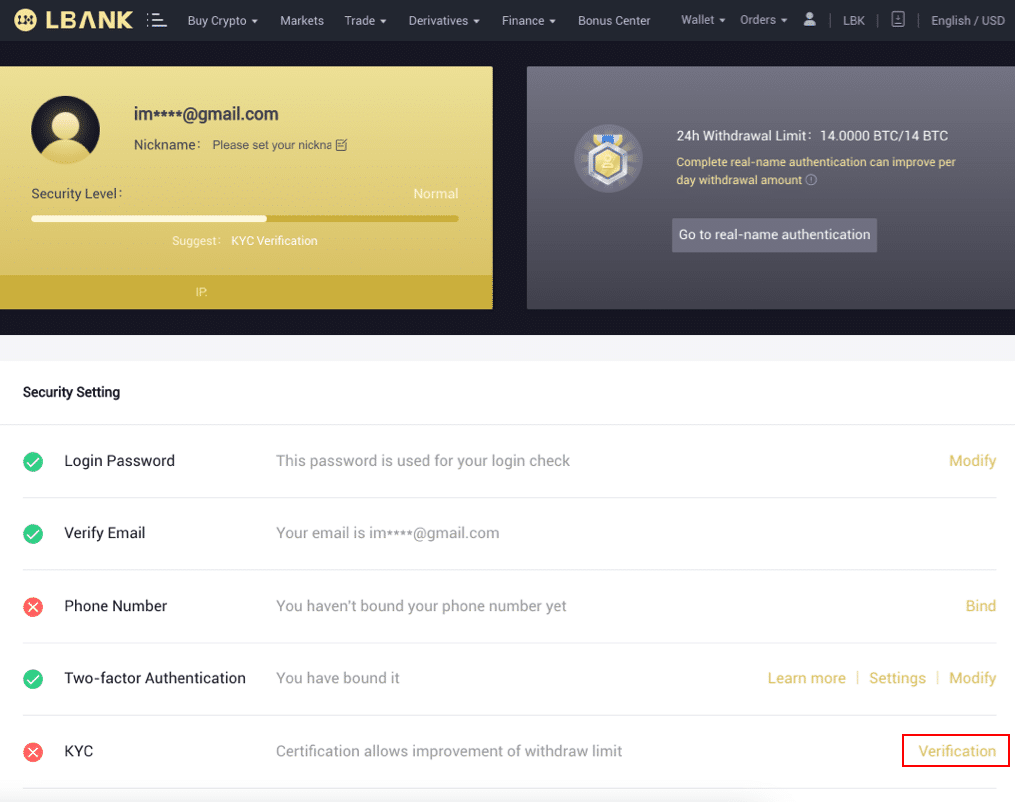
2. Choose KYC and click [Verification].
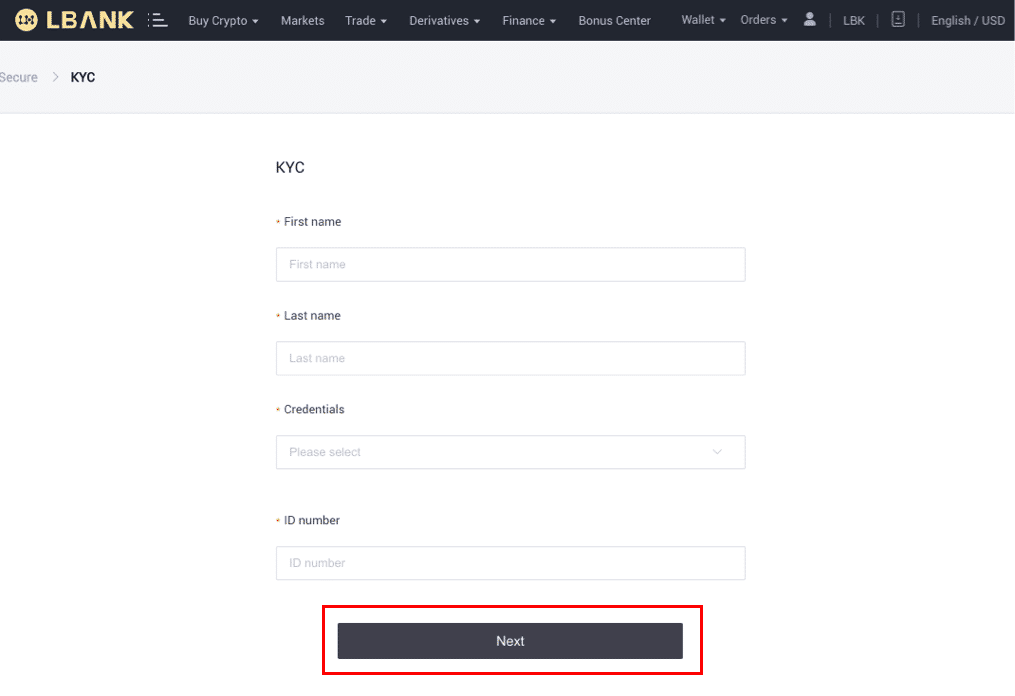
3. Complete personal information as required,and click [Next].
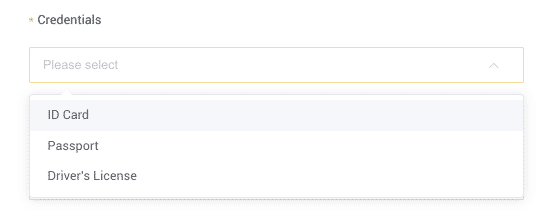
Note: There are three kinds of personal ID that can be chosen: ID card, passport, driver's license.
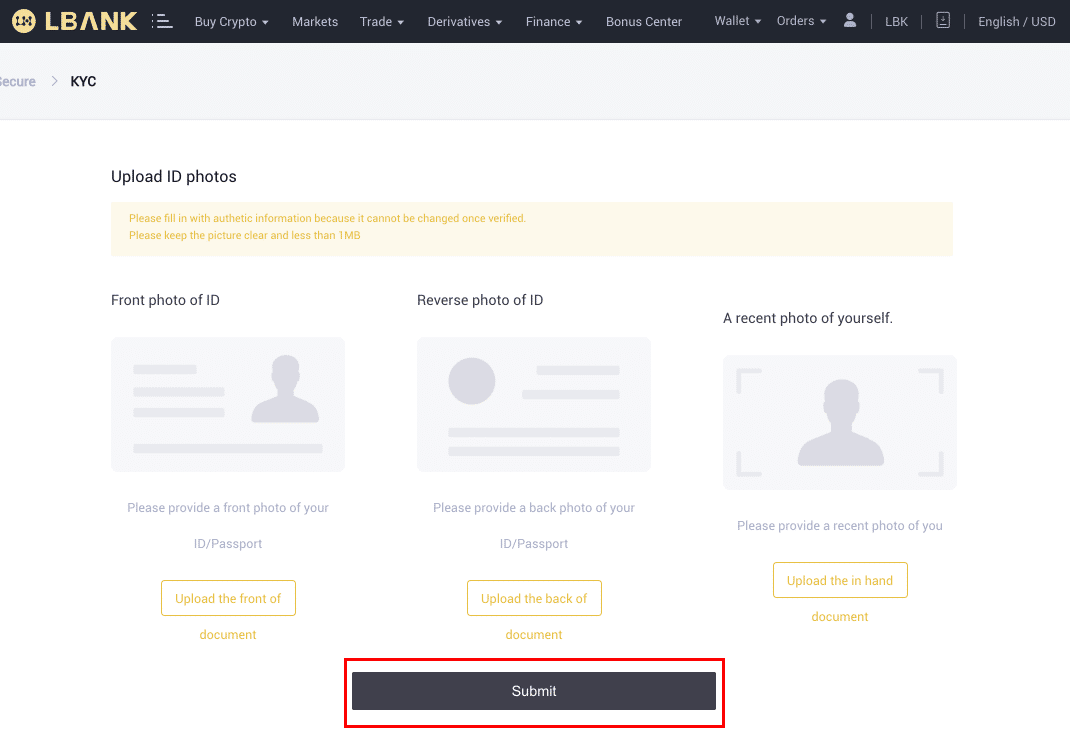
4. Please upload the correct materials as required, and click [Submit].
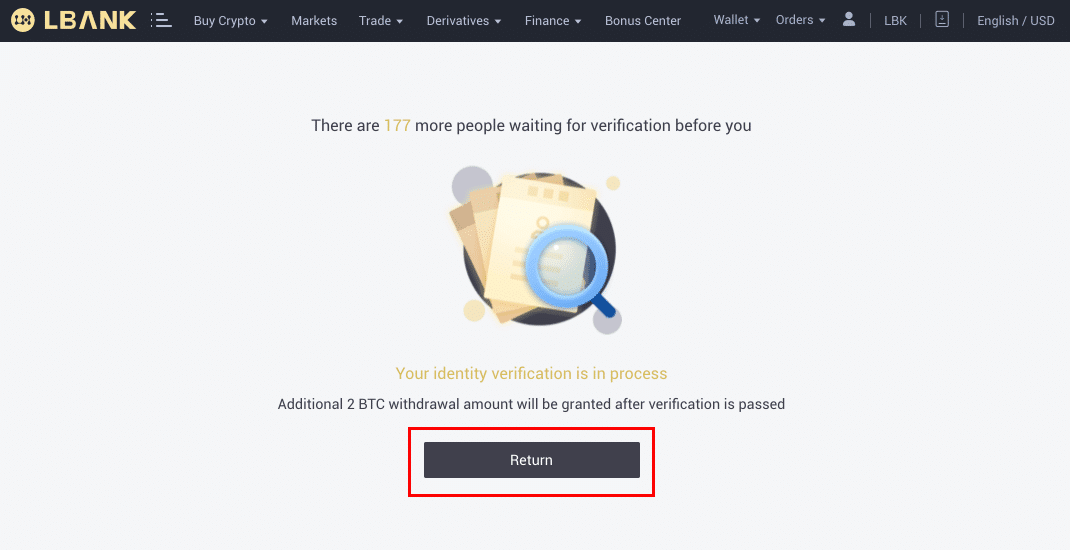
5. Your credentials will be reviewed after submitted.
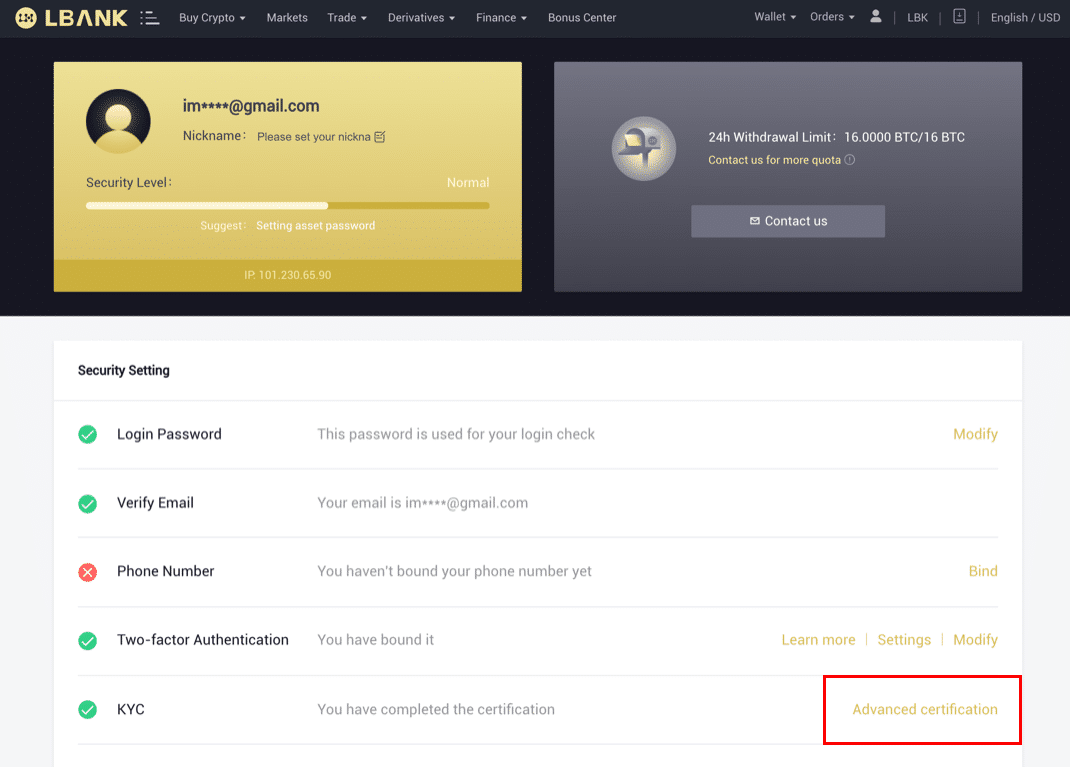
Note: You may follow up the review process in [Security]. Your security level will reach to a higher level.
Ralated article:
How to Complete Identity Verification on LBank App
Click here to download for iOS or Android
LBank community
Find us on:
Telegram: https://t.me/LBank_en
Twitter: https://twitter.com/LBank_Exchange
Facebook: https://www.facebook.com/LBank.info
Medium : https://medium.com/LBank
LinkedIn: https://www.linkedin.com/company/lbank
If you have problems, please contact LBank official email: service@lbank.info, and we will provide sincere, friendly and immediate service for you. We also welcome you to join LBank.info official English community to discuss the latest issue, (Telegram): https://t.me/LBank_en.