Making a spot trade on LBank APP
Step 1:
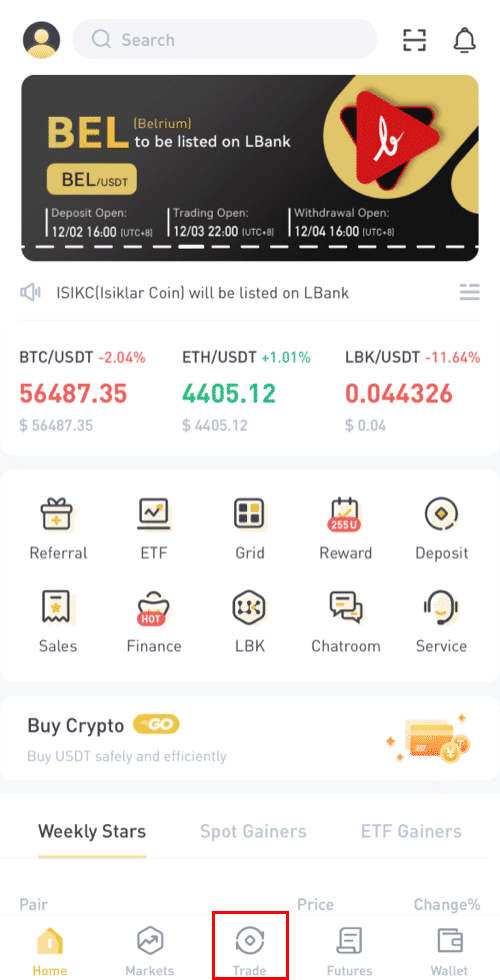
Login to your LBank account and click on [Trade] to go to the spot trading page.
[Click on Trade]
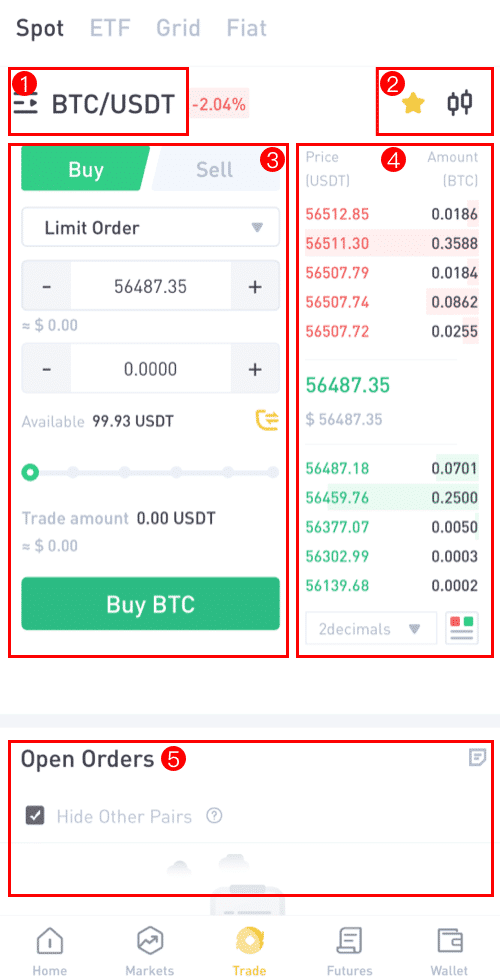
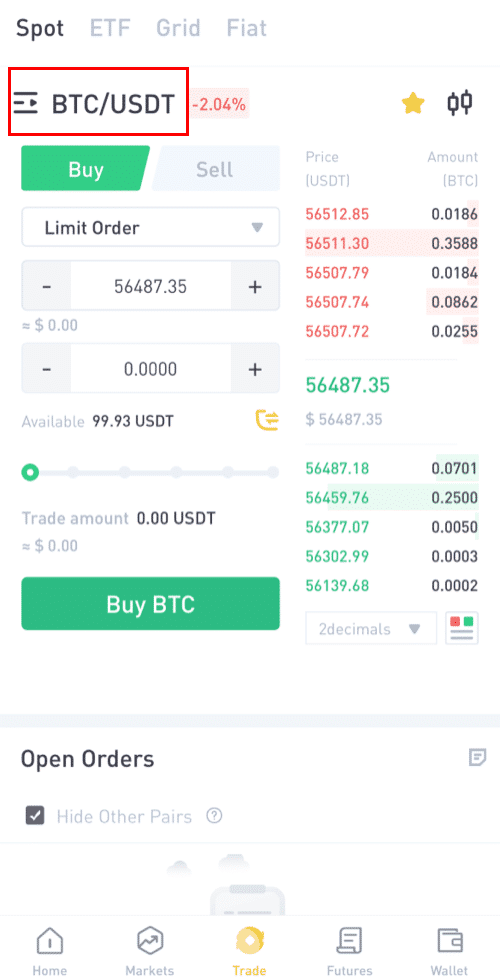
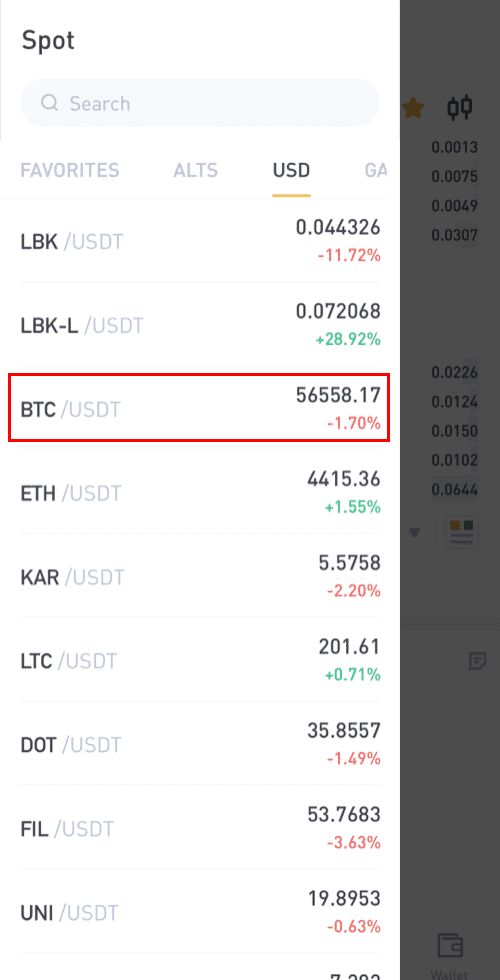
You have to select the pair you want to trade.
Click on the [BTC/USDT] to select the pair you want to trade.
There are different assets from which you can select your pair (ALTS, USD, GAMEFI, ETF, BTC, ETH)
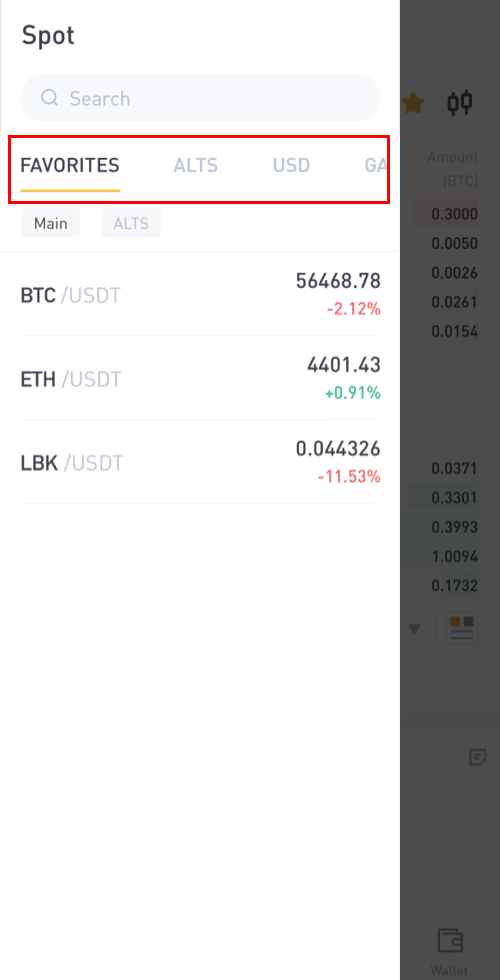
Step 3: Let's say Danny wants to buy 90 USDT worth of BTC, He will click on [BTC/USDT] trading pair, this will take him to a new page where he can place the orders.
Step 4:
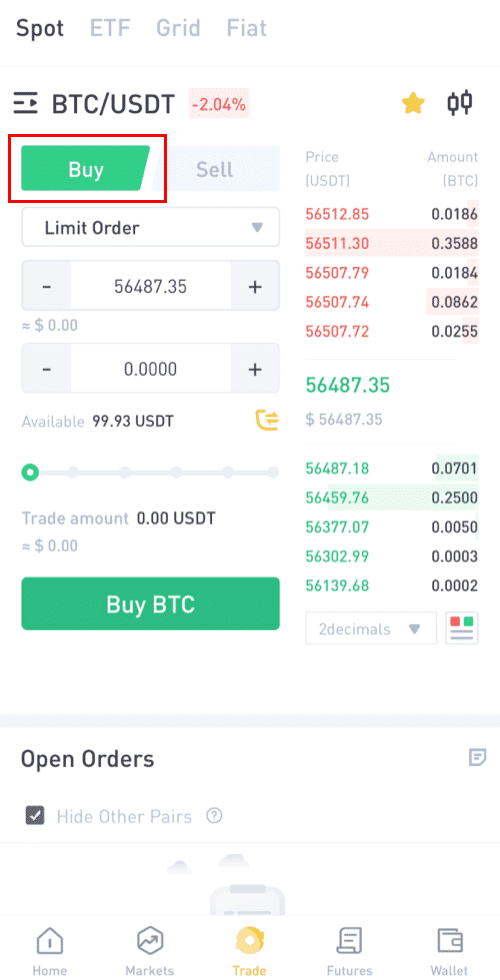
For Placing Order: Since Danny is buying, he will click on [BUY], then to start placing his order.
Step 5 :
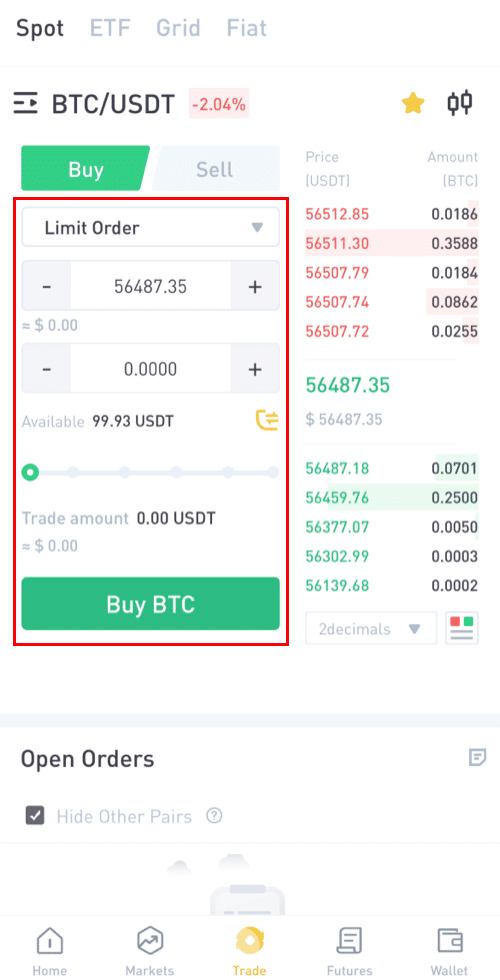
Click on the limit order option to select your preferred option for trading.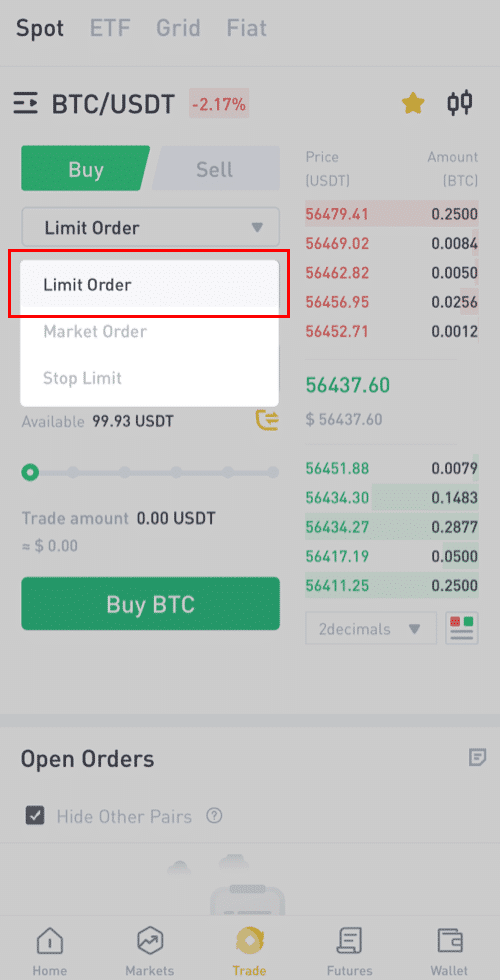
Step 6:
Limit Order: A limit order is an instruction to wait until the price hits a price limit before being executed.
If you select [Limit Order], input the limit price you would like to buy at and the quantity of BTC you will like to purchase. Take Danny as an example, he wanna buy 90 USDT worth of BTC.
Or you can also choose the buying amount by pulling the Percentage bar.
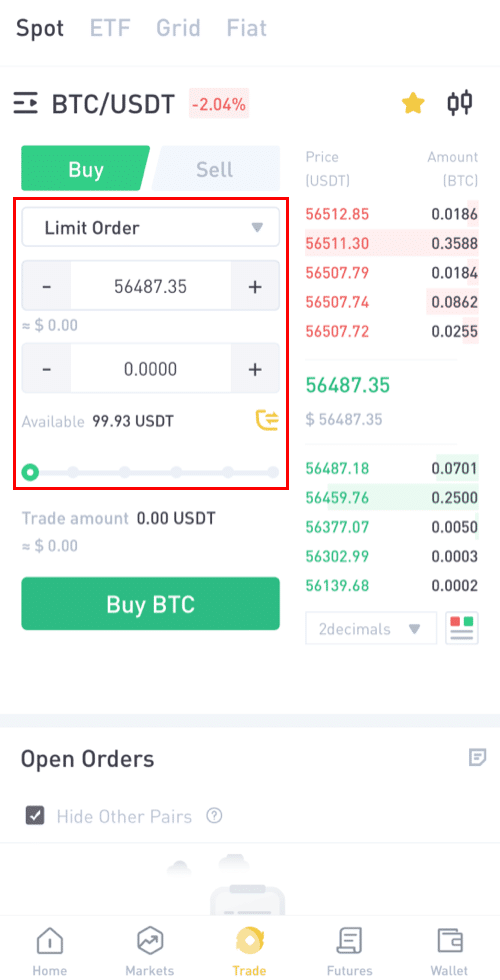
Note: Please make sure you have enough balance in your wallet to make the purchase.
Step 7:
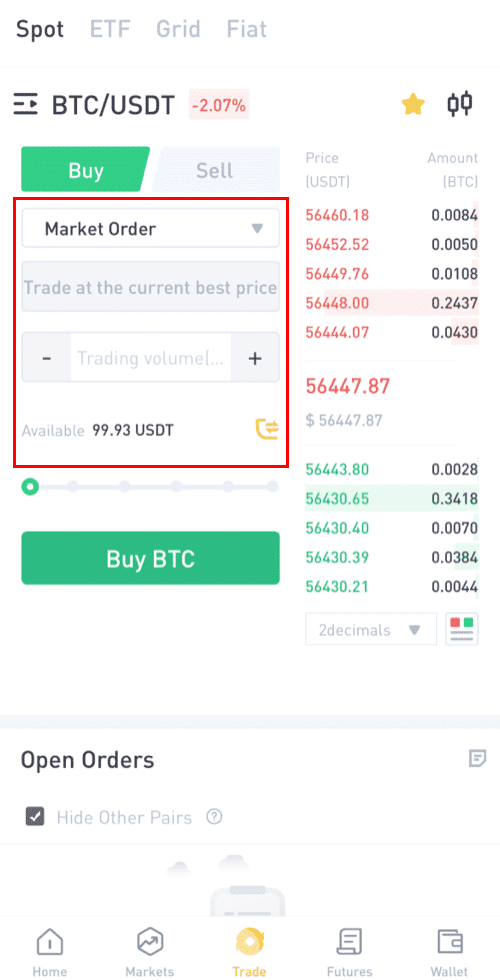
Market order: A market order is an instruction to buy or sell immediately (at the market's real-time price).
Let's say Danny wants to buy 90 USDT at the current market price.
Danny will change the Order from [Limit] to [Market Order], then he will input the amount (in USDT) he wants to purchase.
Step 8:
Stop-Limit Order: When the asset’s price reaches the given stop price, the stop-limit order is executed to buy or sell the asset at the given limit price or better.
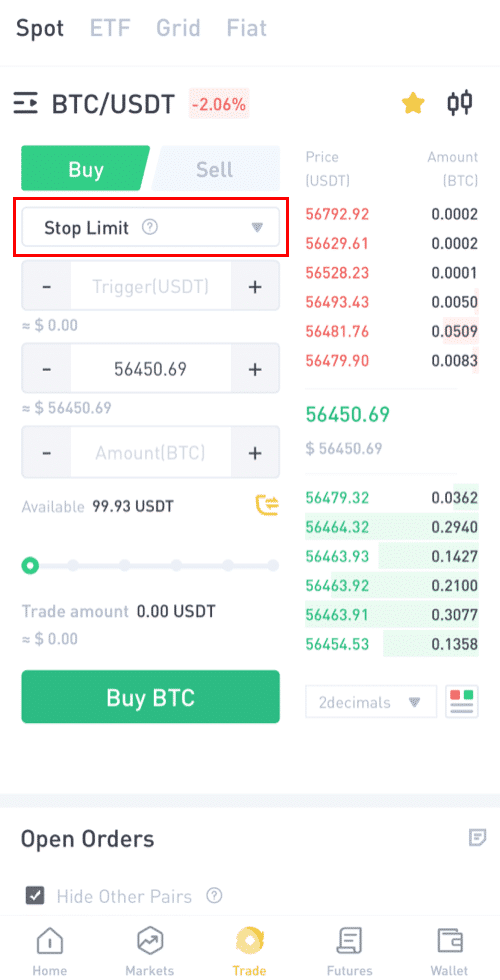
For example, 1BTC= $56450
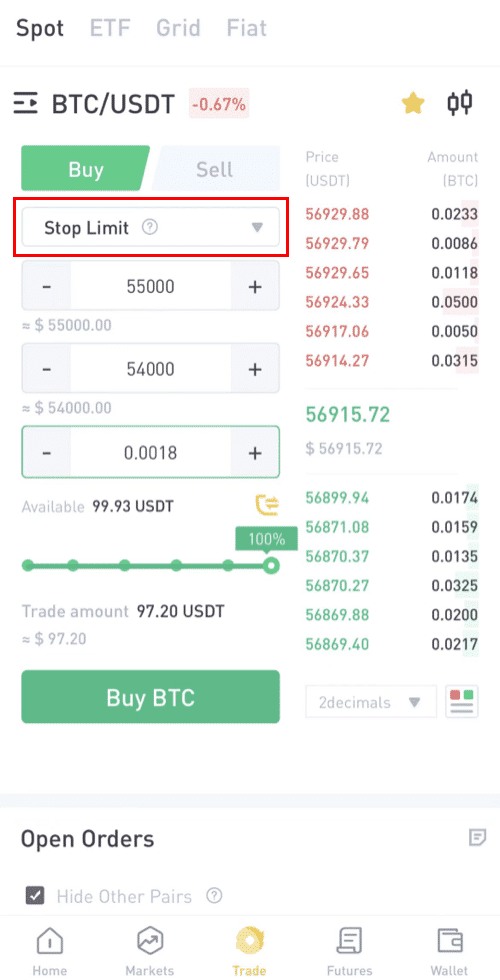
Let's say Danny wants to buy BTC worth 90 USDT at a particular price that is lower than the market price, and he wants the trade to close automatically.
In this connection, he will specify three parameters; the trigger price (55000), the stop price (54000), and the amount (0.0018 ~ 97.20 USDT) he wants to buy.
Then click [BUY BTC]
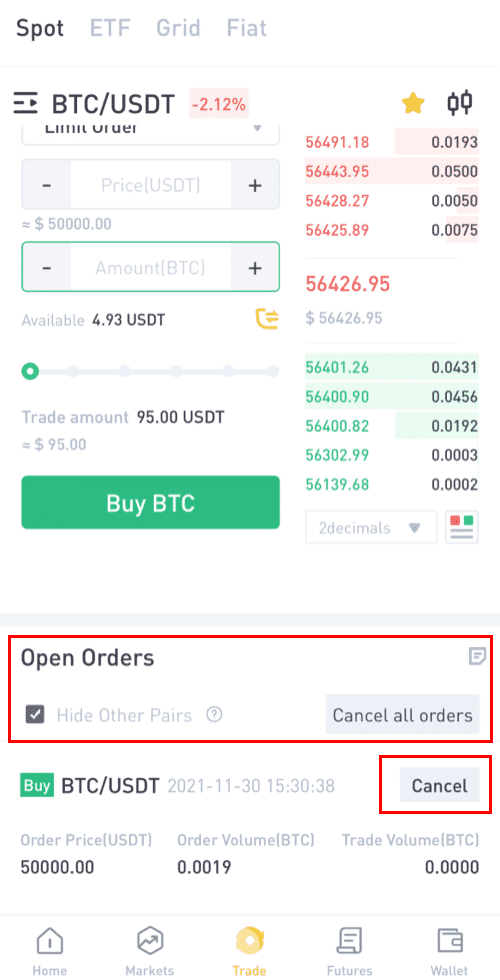
Step 8: Cancel order
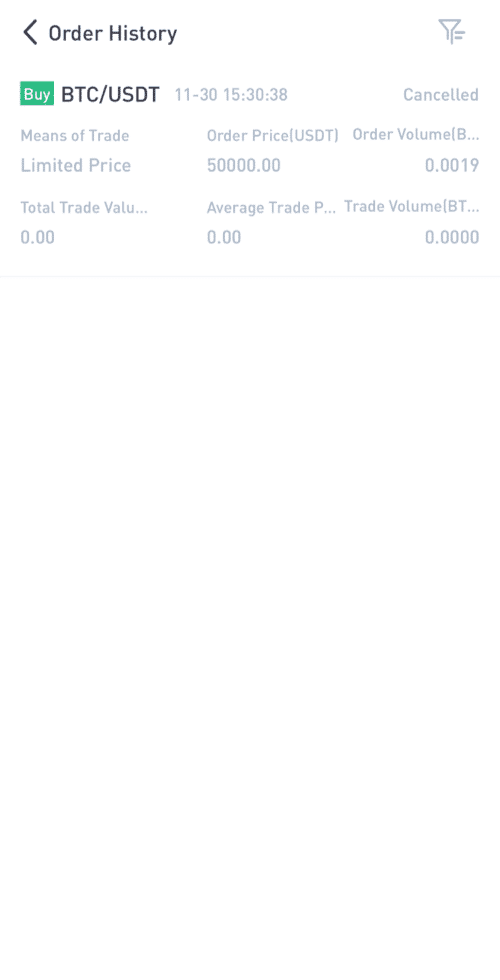
Here you can see your pending Orders and can also cancel those you don't want, Also order history shows all the Orders.
Step 9: Order history
The order History
- The default order type is a limit order. If traders want to place an order as soon as possible, they may switch to [Market] Order. By choosing a market order, users can trade instantly at the current market price.
- If the market price of BTC/USDT is at 66956.39, but you want to buy at a specific price, you can place an [Limit] order. When the market price reaches your set price, your placed order will be executed.
- The percentages shown below the BTC [Amount] field refer to the percentage amount of your held USDT you wish to trade for BTC. Pull the slider across to change the desired amount.
Click here to download for iOS or Android
LBank community
Find us on:
Telegram: https://t.me/LBank_en
Twitter: https://twitter.com/LBank_Exchange
Facebook: https://www.facebook.com/LBank.info
Medium: https://medium.com/LBank
LinkedIn: https://www.linkedin.com/company/lbank
If you have problems, please contact LBank official email: service@lbank.info, and we will provide sincere, friendly and immediate service for you. We also welcome you to join LBank.info official English community to discuss the latest issue, (Telegram): https://t.me/LBank_en.