The internal transfer function lets you send funds between two LBank accounts. It will be immediately credited, and you don’t have to pay any transaction fees.
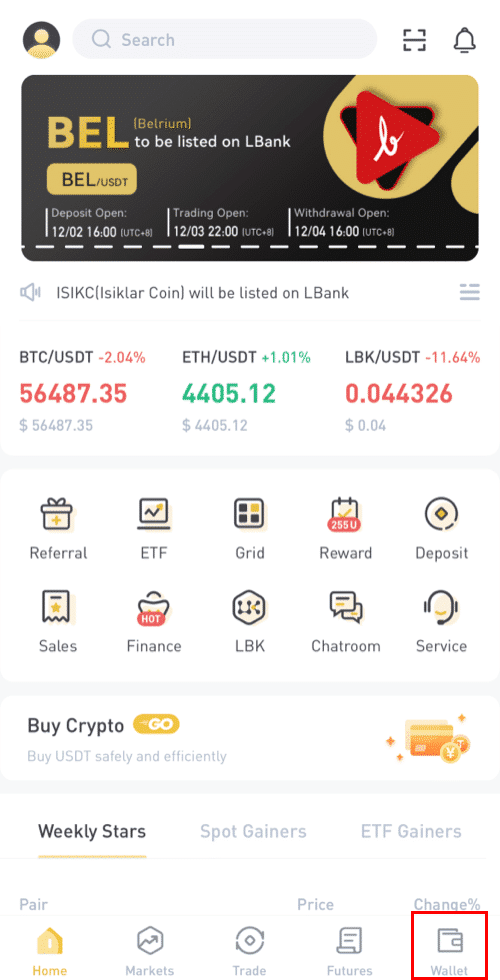
1. Log in to your LBank account and click [Wallet].
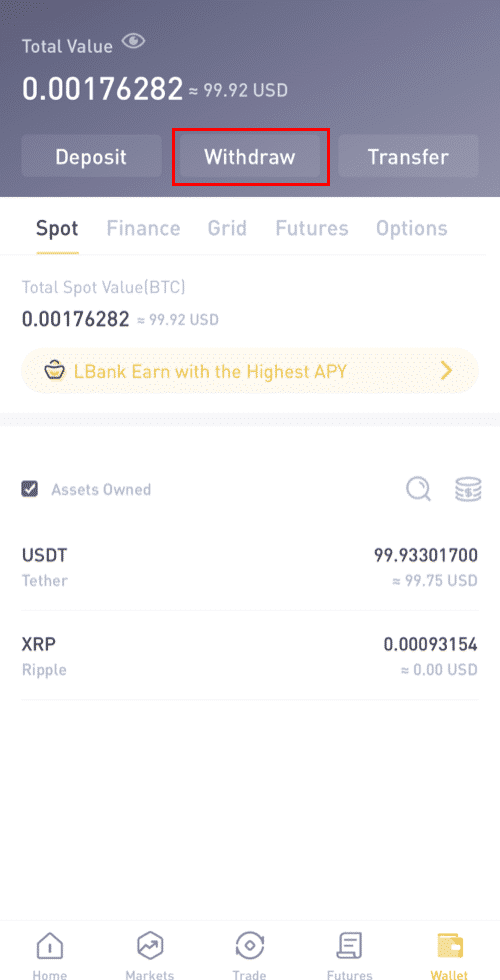
2. Click [Withdraw].
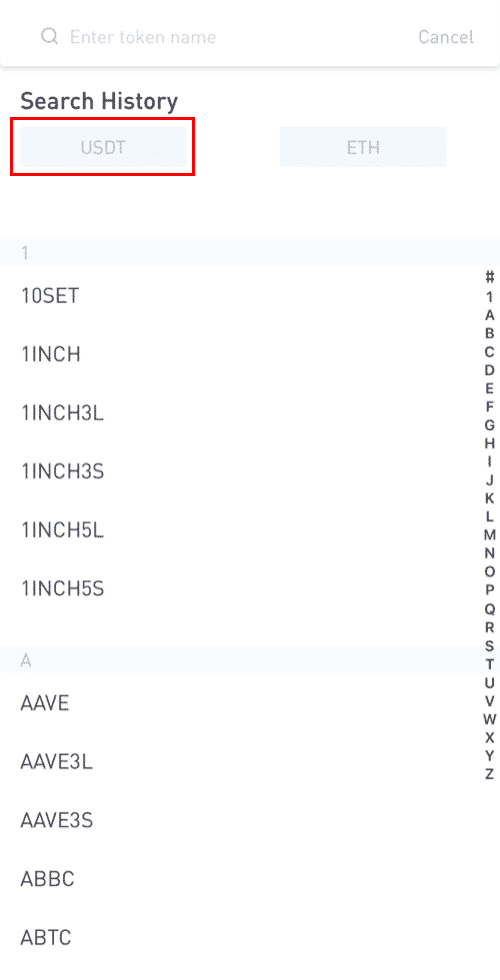
3. Choose the coin to withdraw.
4. Next, enter the recipient address of the other LBank user, or select from your address book list.
Enter the amount to transfer. You will then see the network fee displayed on the screen. Please note the network fee will only be charged for withdrawals to non-LBank addresses. If the recipient address is correct and belongs to an LBank account, the network fee will not be deducted. The recipient account will get the amount indicated as [Receive amount].
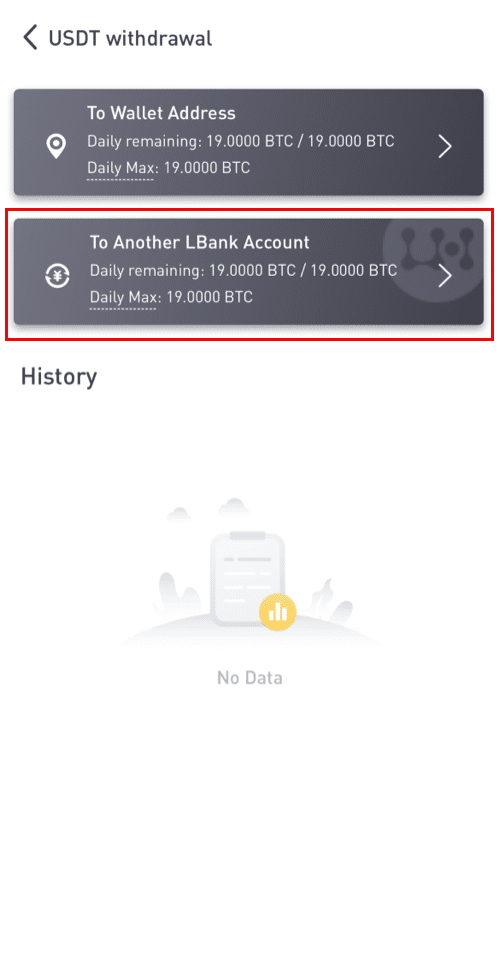
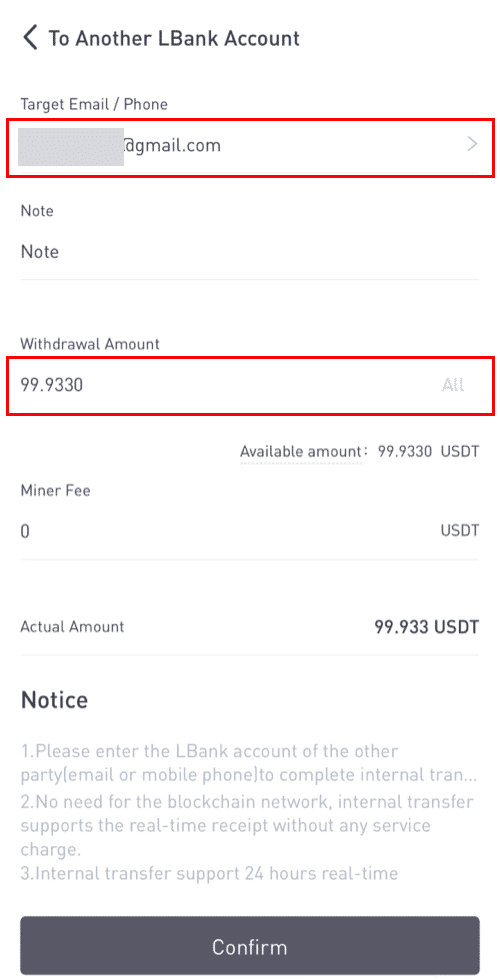
*Please note: The fee exemption and instant arrival of the funds are only applicable when the recipient address belongs to an LBank account too. Please make sure that the address is correct and belongs to an LBank account.
Moreover, if the system detects that you are withdrawing a coin that requires a memo, the memo field is also mandatory. In such a case, you will not be allowed to withdraw without providing the memo; please provide the correct memo, otherwise, the funds will be lost.
7. Click [Submit] and you will be redirected to complete the 2FA Security verification for this transaction. Please double-check your withdrawal token, amount, and address before clicking [Submit].
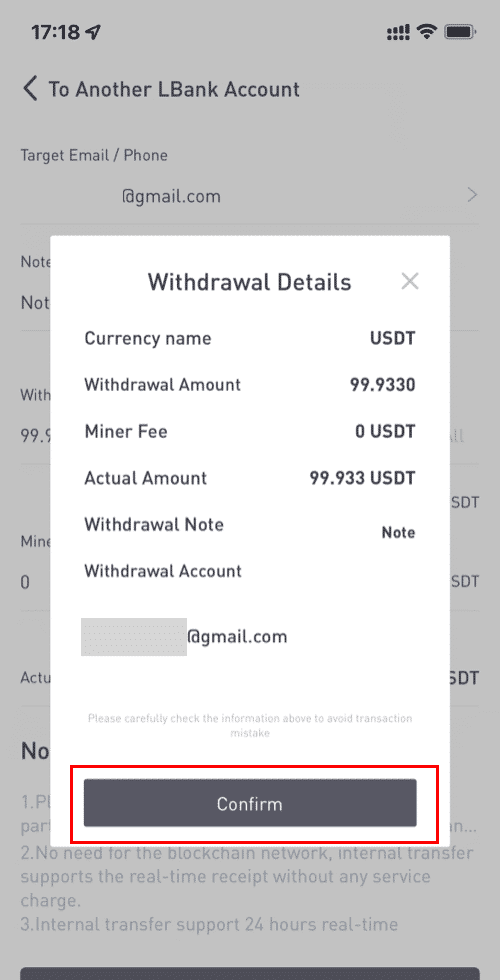
8. After the withdrawal is successful, you may return to [Wallet] - [ Withdraw ] - [ **token name ] to check the transfer status.
Please note that for internal transfer within LBank, no TxID will be created.
9. How to add an internal transfer address?
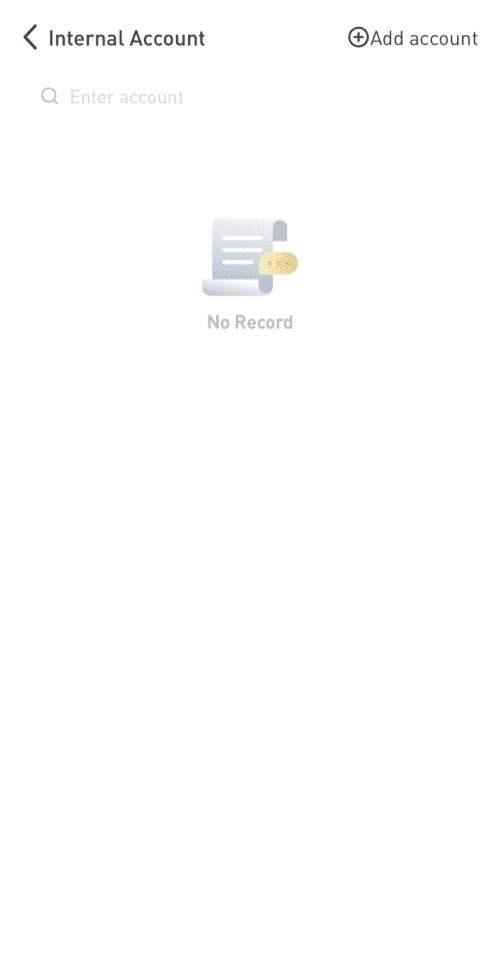
1. If you do not have an internal address, please click [ Add account ].
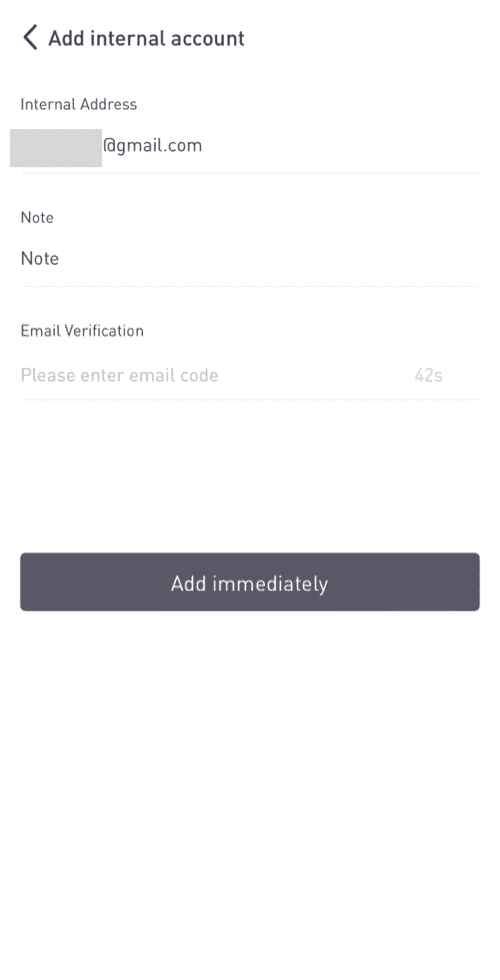
2. Then you will be guided to the next page as follows, and fill in the address details, note, and email verification. Please make sure this newly added address has to be an LBank account. Then click [ Add immediately ].
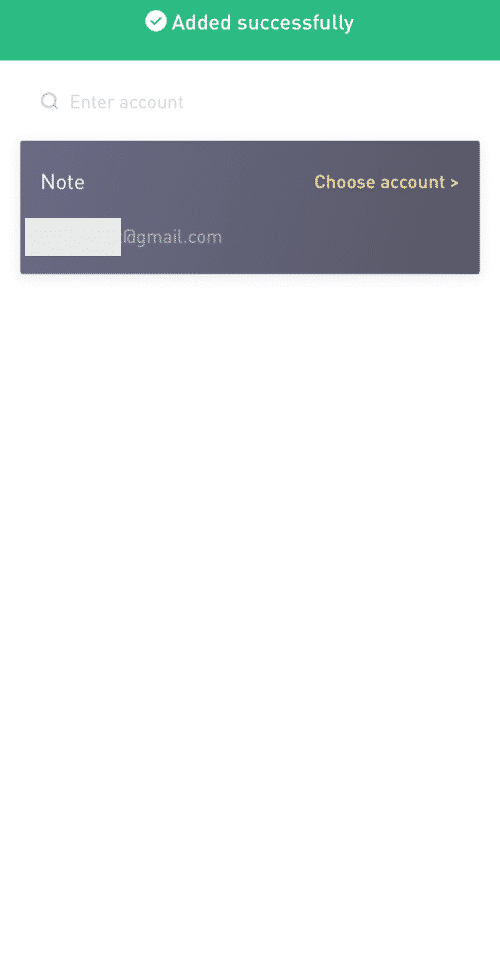
3. You have successfully added the address to be the internal transfer address.
Click here to download for iOS or Android
LBank community
Find us on:
Telegram: https://t.me/LBank_en
Twitter: https://twitter.com/LBank_Exchange
Facebook: https://www.facebook.com/LBank.info
Medium: https://medium.com/LBank
LinkedIn: https://www.linkedin.com/company/lbank
If you have problems, please contact LBank official email: service@lbank.info, and we will provide sincere, friendly and immediate service for you. We also welcome you to join LBank.info official English community to discuss the latest issue, (Telegram): https://t.me/LBank_en.