1. Why has my deposit been credited yet?
Transferring funds from an external platform to LBank involves three steps:
- Withdrawal from the external platform
- Blockchain network confirmation
- LBank credits the funds to your account
An asset withdrawal marked as “completed” or “success” in the platform you're withdrawing your crypto from means that the transaction was successfully broadcast to the blockchain network. However, it might still take some time for that particular transaction to be fully confirmed and credited to the platform you’re withdrawing your crypto to. The amount of required “network confirmations” varies for different blockchains.
For example:
- A wants to deposit 2 BTC into its LBank wallet. The first step is to create a transaction that will transfer the funds from its personal wallet into LBank.
- After creating the transaction, A needs to wait for the network confirmations. It will be able to see the pending deposit on its LBank account.
- The funds will be temporarily unavailable until the deposit is complete (1 network confirmation).
- If A decides to withdraw these funds, it needs to wait for 2 network confirmations.
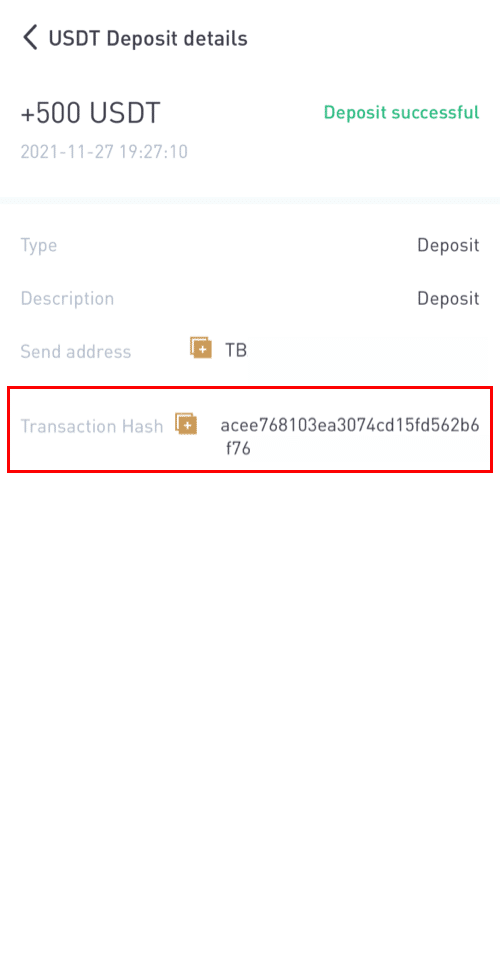
Due to possible network congestion, there might be a significant delay in processing your transaction. You may use the TxID (Transaction ID) to look up the status of the transfer of your assets by using a blockchain explorer.
- If the transaction has not yet been fully confirmed by the blockchain network nodes, please wait and try again later.
- If the transaction is unconfirmed by the blockchain network, but it has also reached the minimum amount of network confirmations specified by our system, please contact our Support team with the TxID, coin/token name, deposit amount, and transfer time. Please make sure you have provided the above-detailed information so the Customer Service agent can assist you in a timely manner.
- If the transaction is confirmed by the blockchain but not credited to your LBank account, please provide us with the TxID, token name, deposit amount, and time.
2. How do I check the transaction status on the blockchain?
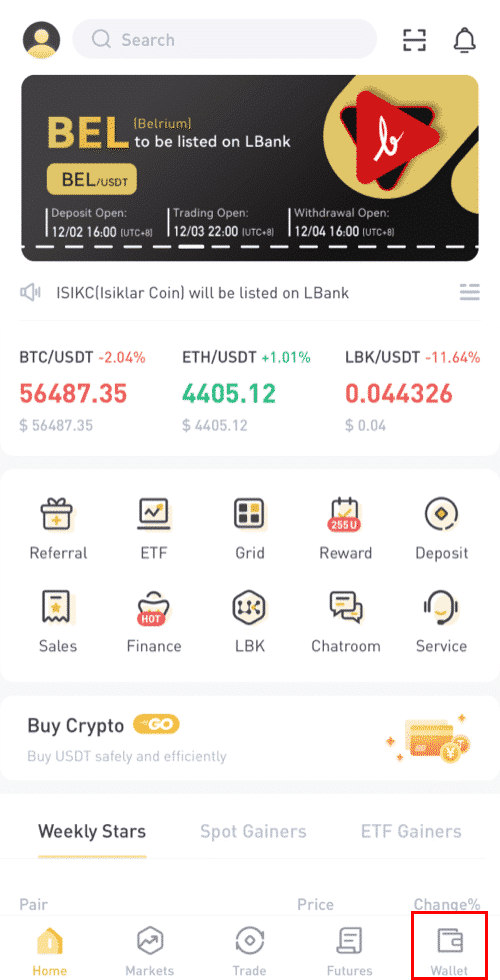
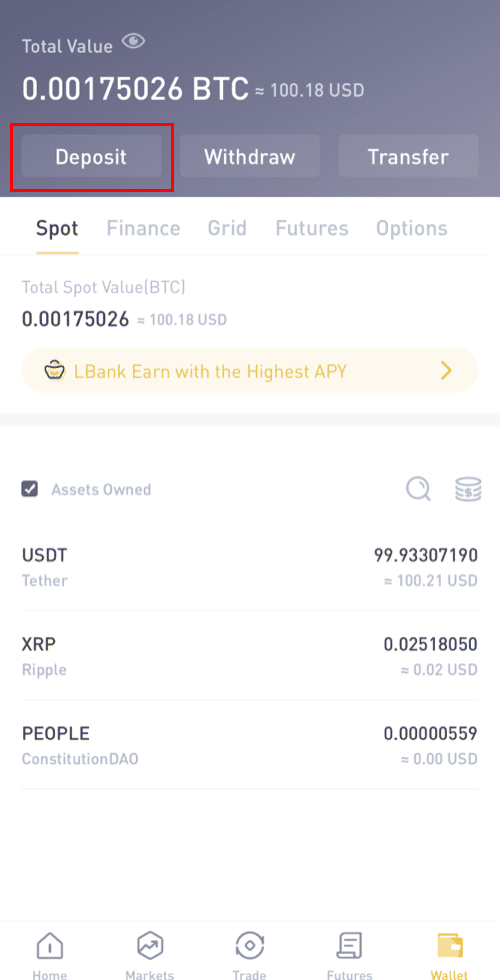
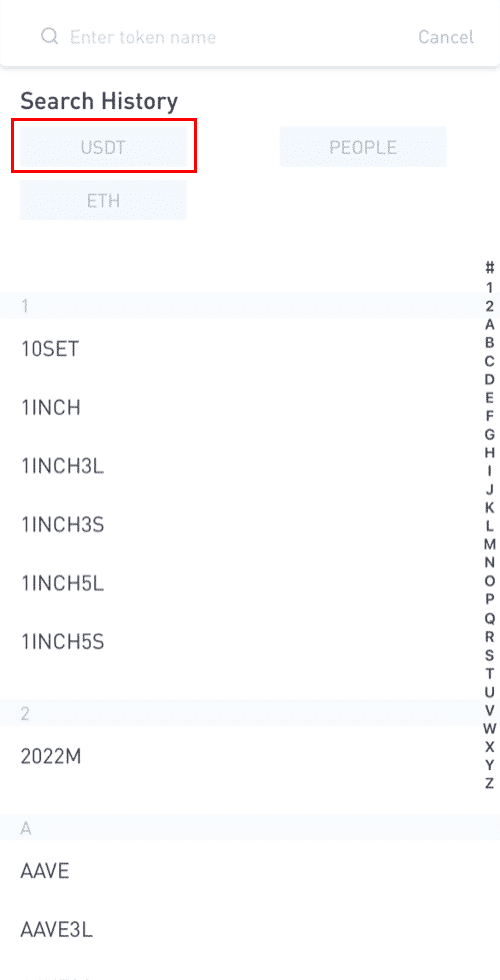
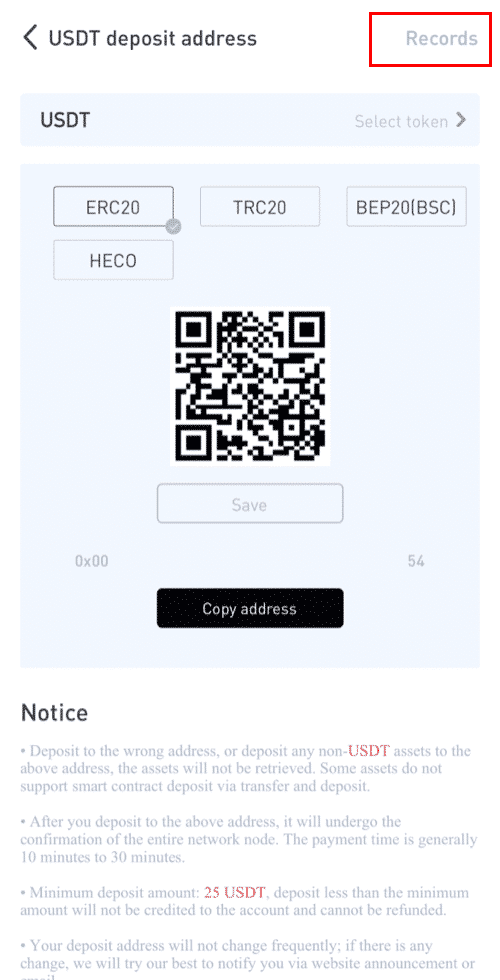
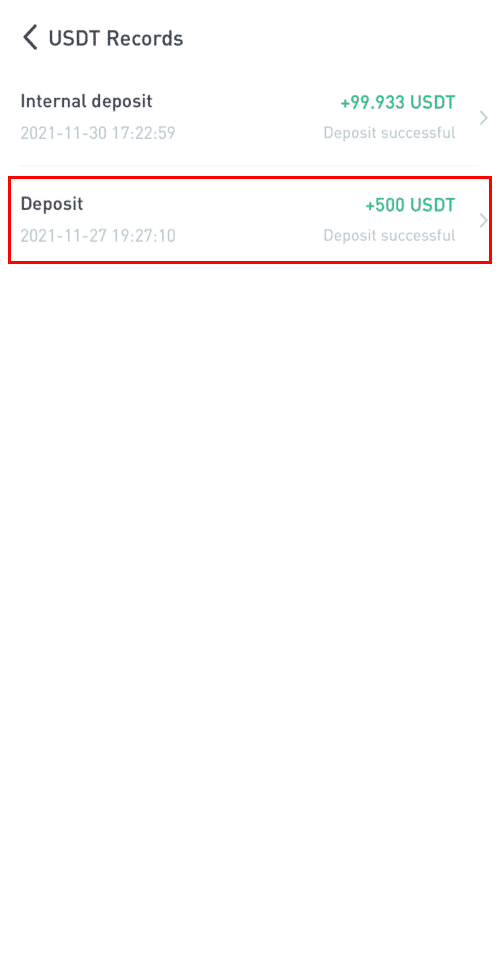
Log in to your LBank account and click [Wallet] - [Deposit] to view your cryptocurrency deposit record. Then check the transfer hash or txid in the transaction details.
Click here to download for iOS or Android
LBank community
Find us on:
Telegram: https://t.me/LBank_en
Twitter: https://twitter.com/LBank_Exchange
Facebook: https://www.facebook.com/LBank.info
Medium: https://medium.com/LBank
LinkedIn: https://www.linkedin.com/company/lbank
If you have problems, please contact LBank official email: service@lbank.info, and we will provide sincere, friendly and immediate service for you. We also welcome you to join LBank.info official English community to discuss the latest issue, (Telegram): https://t.me/LBank_en.