If you’ve lost access to your Google Authenticator App or it has stopped working:
Please contact our online service for help, and it will take some days for our staff to do the verification. Please wait patiently.
*Please note that different users will perform different operations based on account status and related information.
Read More: Unbind Google Authenticator Materials
================================
1. Tap on the [Profile] icon and tap [Security] - [Google Authentication].
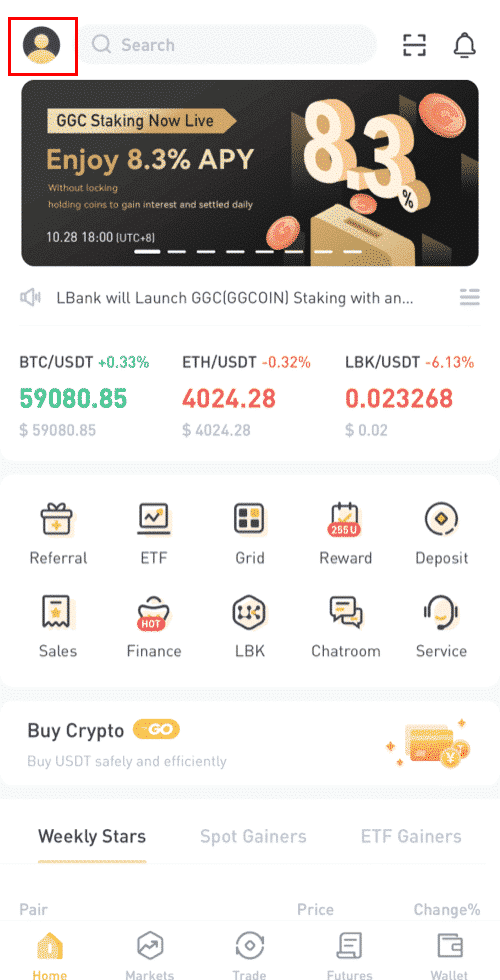
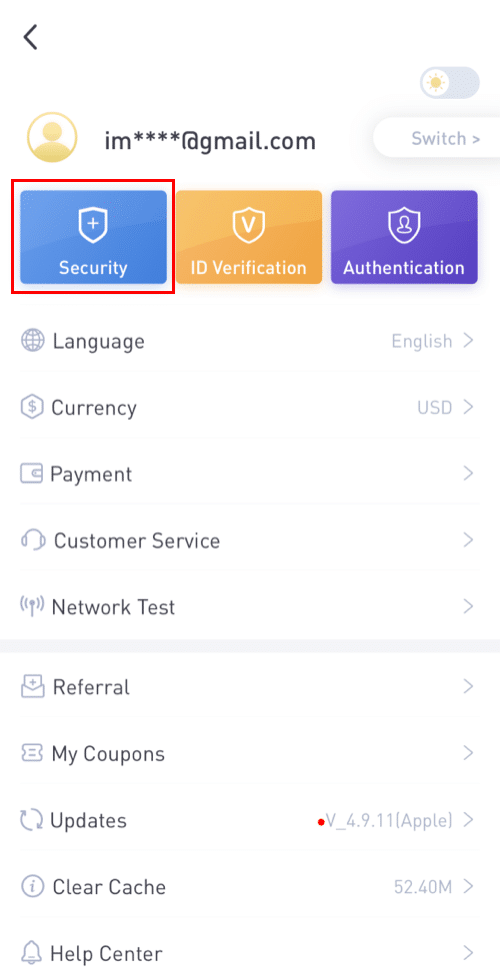
2. Tap [Change Google Authentication]. Please note that withdrawals and P2P trading from your account will be disabled for 24 hours for security reasons.
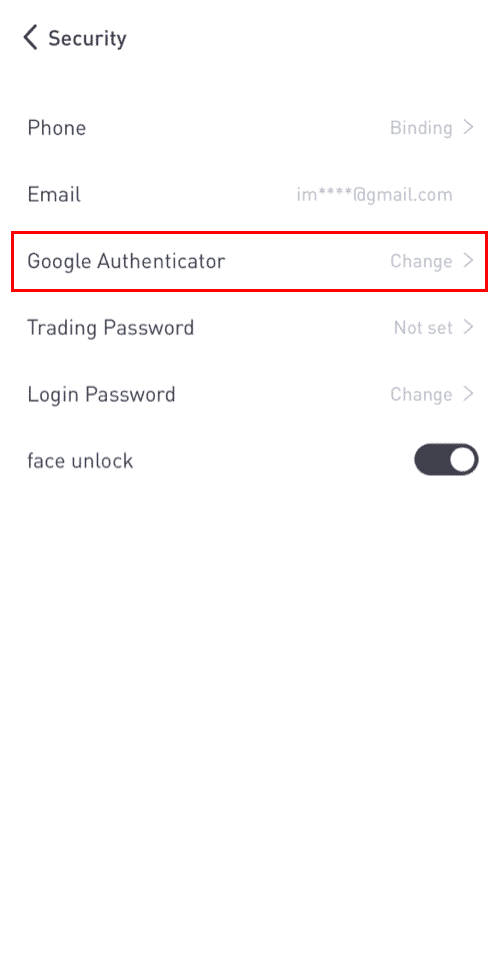
Tap [Change] to proceed.
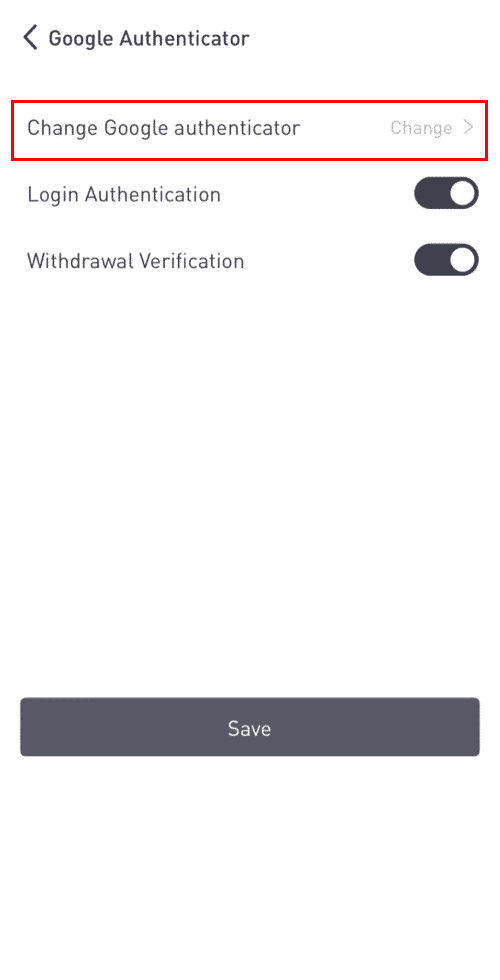
If your Google Authenticator is working normally, please do as follows:
4. You will see a backup key. Please save it securely. This will allow you to recover your Google Authenticator in case you lose your phone.
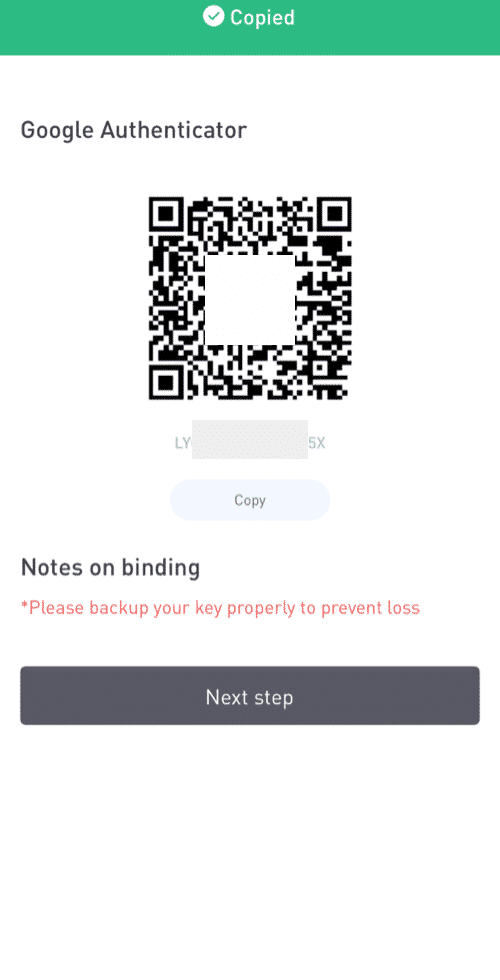
5. Now go to your Google Authenticator app. Tap on the [+] and select [Enter a setup key] to add the backup key you just saved. Tap [Add].
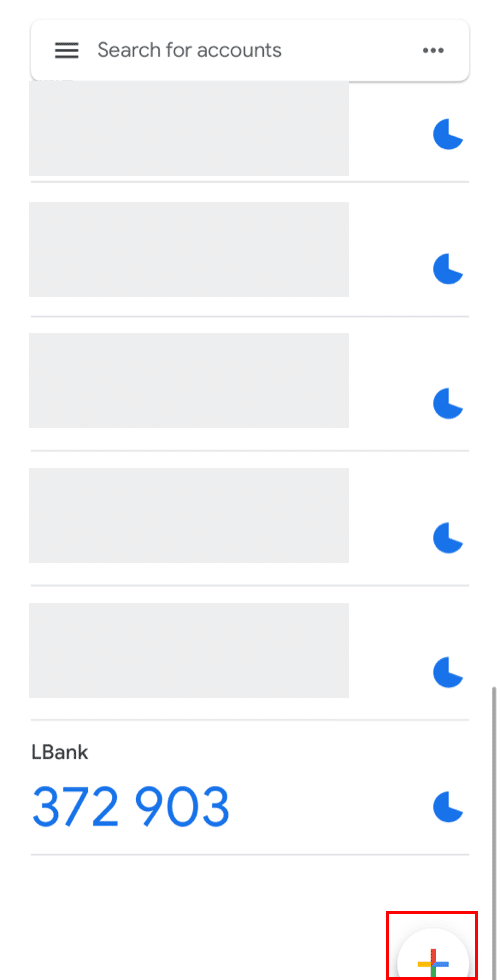
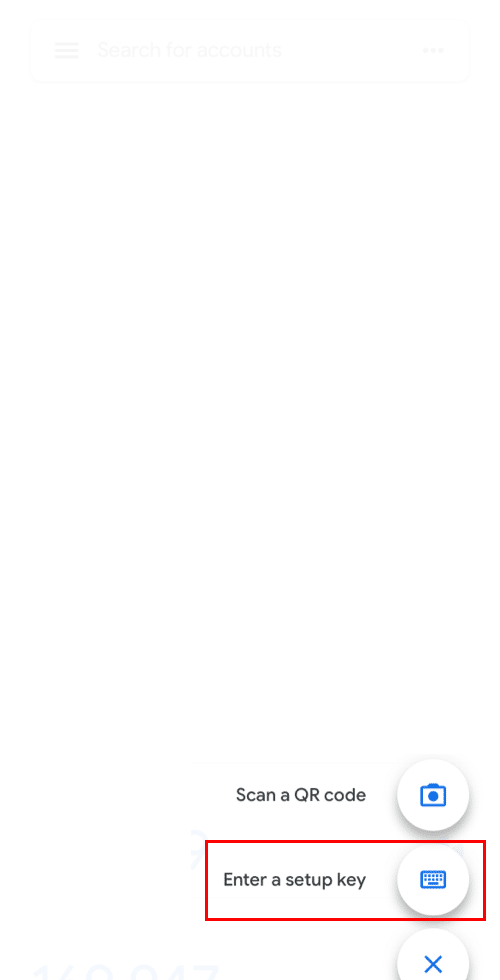
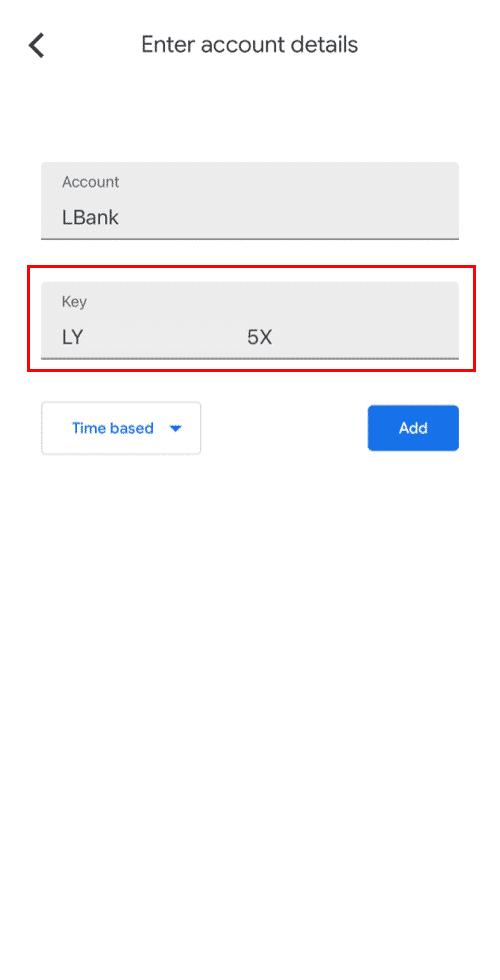
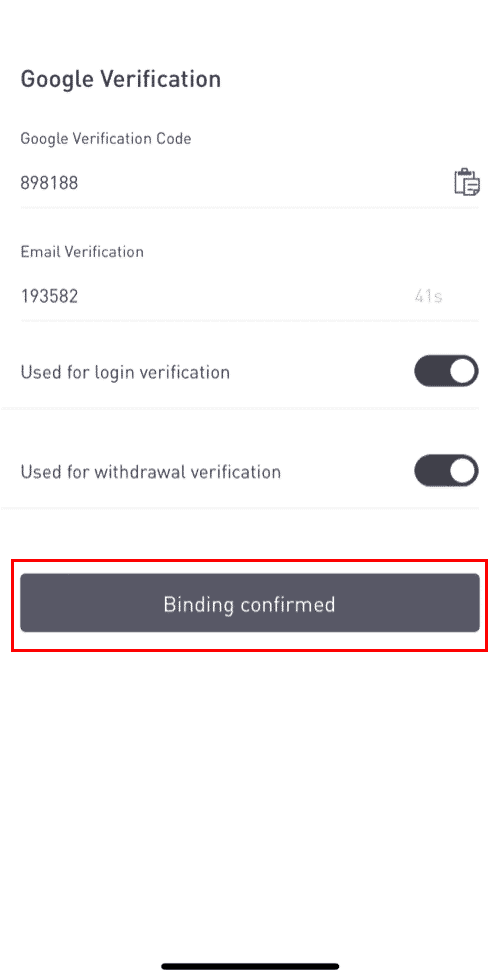
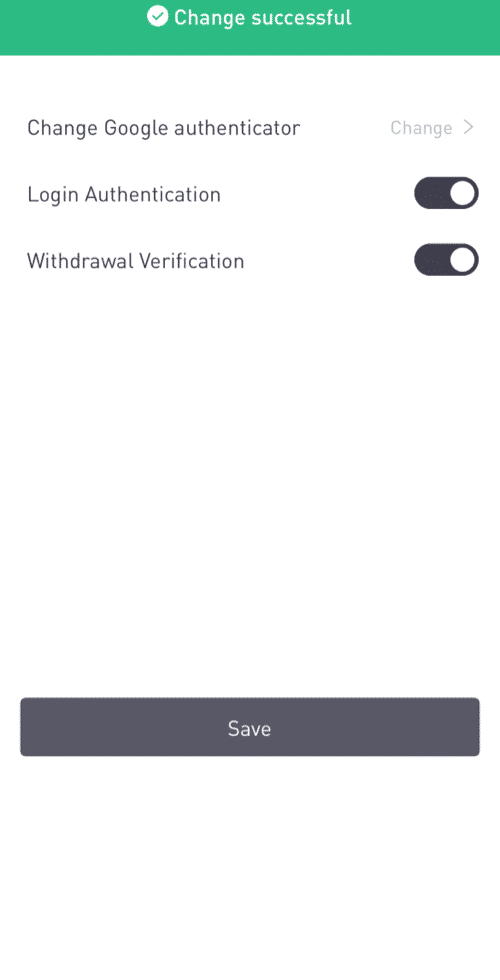
6. Go back to the LBank App and use your new Google Authenticator to verify the change. Tap [ Binding confirmed] to complete the process.
Click here to download for iOS or Android
LBank community
Find us on:
Telegram: https://t.me/LBank_en
Twitter: https://twitter.com/LBank_Exchange
Facebook: https://www.facebook.com/LBank.info
Medium: https://medium.com/LBank
LinkedIn: https://www.linkedin.com/company/lbank
If you have problems, please contact LBank official email: service@lbank.info, and we will provide sincere, friendly and immediate service for you. We also welcome you to join LBank.info official English community to discuss the latest issue, (Telegram): https://t.me/LBank_en.