1. Go to lbank.info and click [Register].
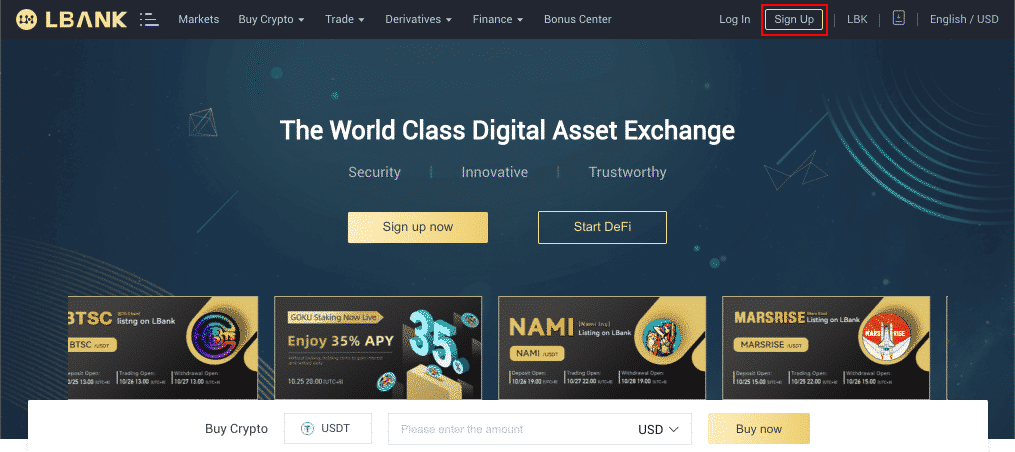
2. On the registration page, enter your email address, create a password for your account, and enter the Referral ID (if any). Then, read and agree to the Terms of Service and click [Sign Up].
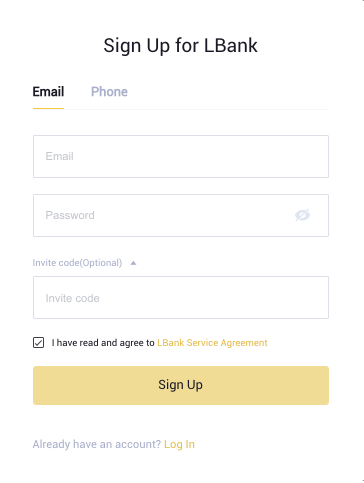
- Your password must be a combination of numbers and letters. It should contain at least 8 characters, one UPPER CASE letter, and one number.
- If you’ve been referred to register on LBank, make sure to fill in the correct Referral ID here.
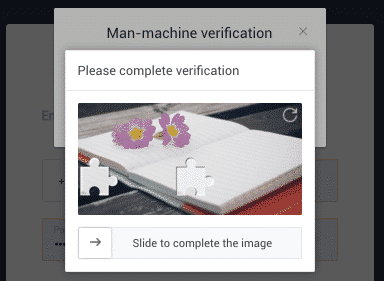
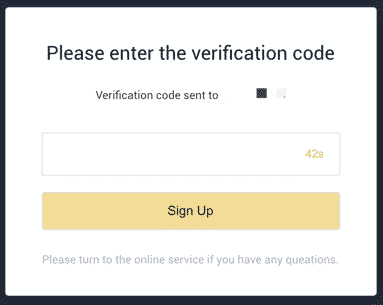

Click here to download for iOS or Android
LBank community
Find us on:
Telegram: https://t.me/LBank_en
Twitter: https://twitter.com/LBank_Exchange
Facebook: https://www.facebook.com/LBank.info
MediBTFA : https://mediBTFA .com/LBank
LinkedIn: https://www.linkedin.com/company/lbank
If you have problems, please contact LBank official email: service@lbank.info, and we will provide sincere, friendly and immediate service for you. We also welcome you to join LBank.info official English community to discuss the latest issue, (Telegram): https://t.me/LBank_en.