In futures trading, you can participate in market movements and make a profit by going long or short on a futures contract.
By going long, a trader buys a futures contract with the expectation that it will rise in value in the future.
Conversely, a trader sells a futures contract to go short, to bet on prices to decline in the future.
On our LBank Futures platform, you can go long or short with leverage to reduce risk or seek profits in volatile markets. Follow these steps to start trading on our LBank Futures platform:
- Deposit USDT into your Futures account as margin;
- Select the level of leverage according to your preference;
- Choose the appropriate order type (buy or sell);
- Indicate the number of contracts you wish to own.
How to open Futures Account
1, Click [ Future], then click [open account]
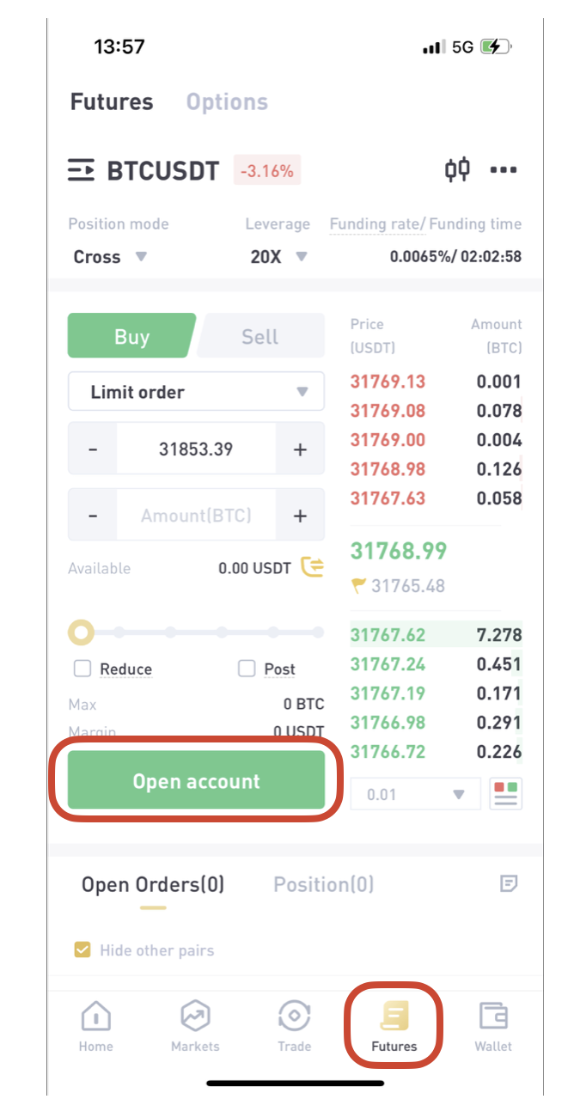
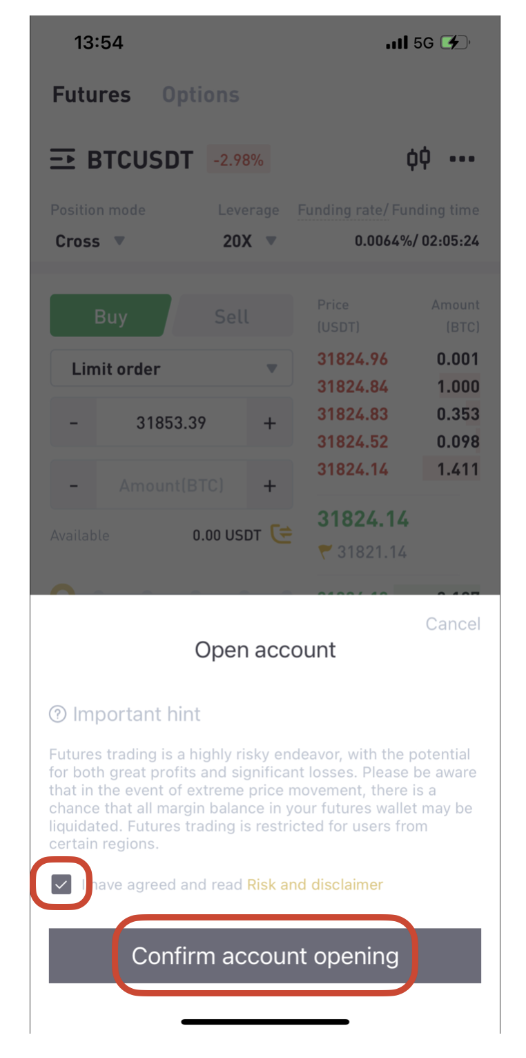
2, Click [Confirm account opening], then opened Future account.
How to trade Futures on LBank App
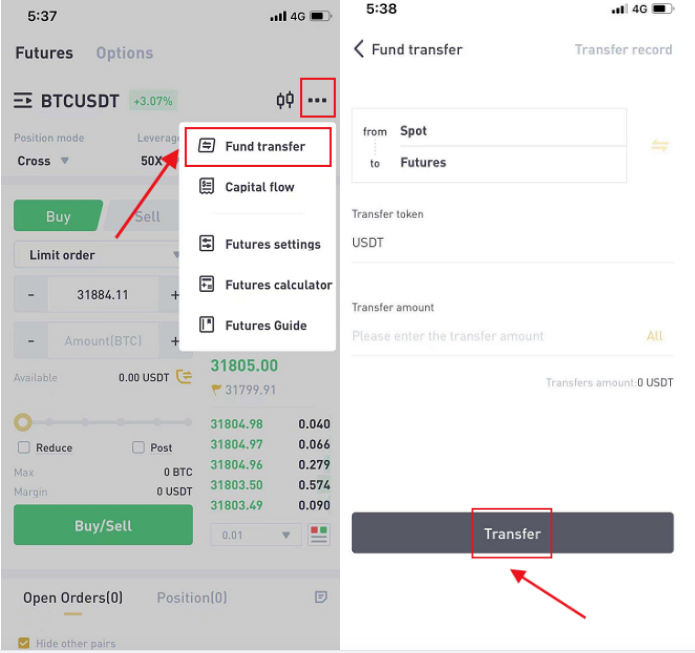
1, Click the “…” on the right, select [Fund transfer], enter the [Transfer amount], or click [All], deposit USDT into your Futures account as margin
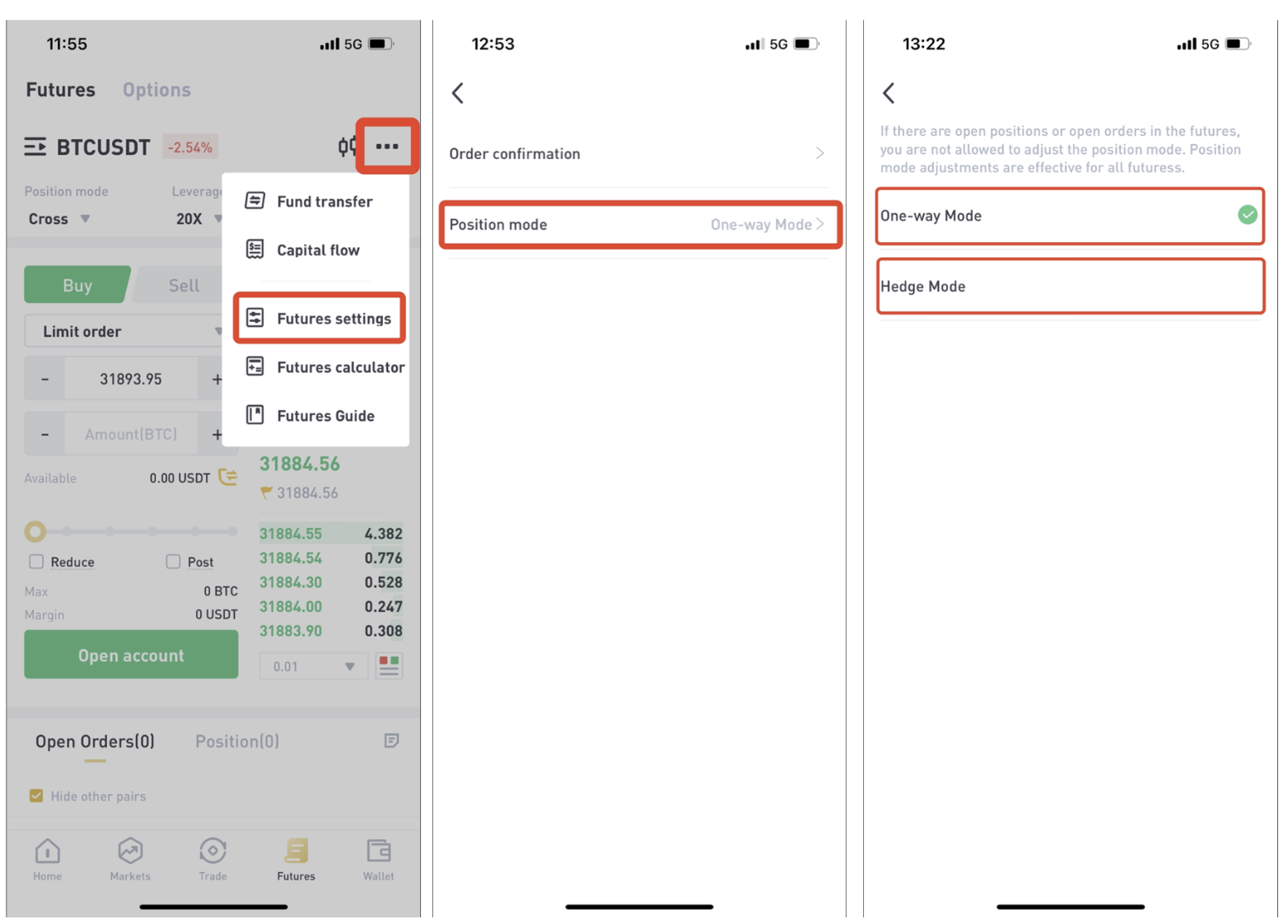
2, Setting Types of Position Mode,select one-way position or two-way position
Types of One-way Mode Exchange
In one-way mode, users can only hold positions in one direction under one contract.
Types of Hedge Mode exchange
In hedge mode, users can hold both long and short positions at the same time under the same contract.
Click [...],click [Future settings], setting Types of Position Mode, then click [Position mode], choose [One-way Mode], or [Hedge Mode]
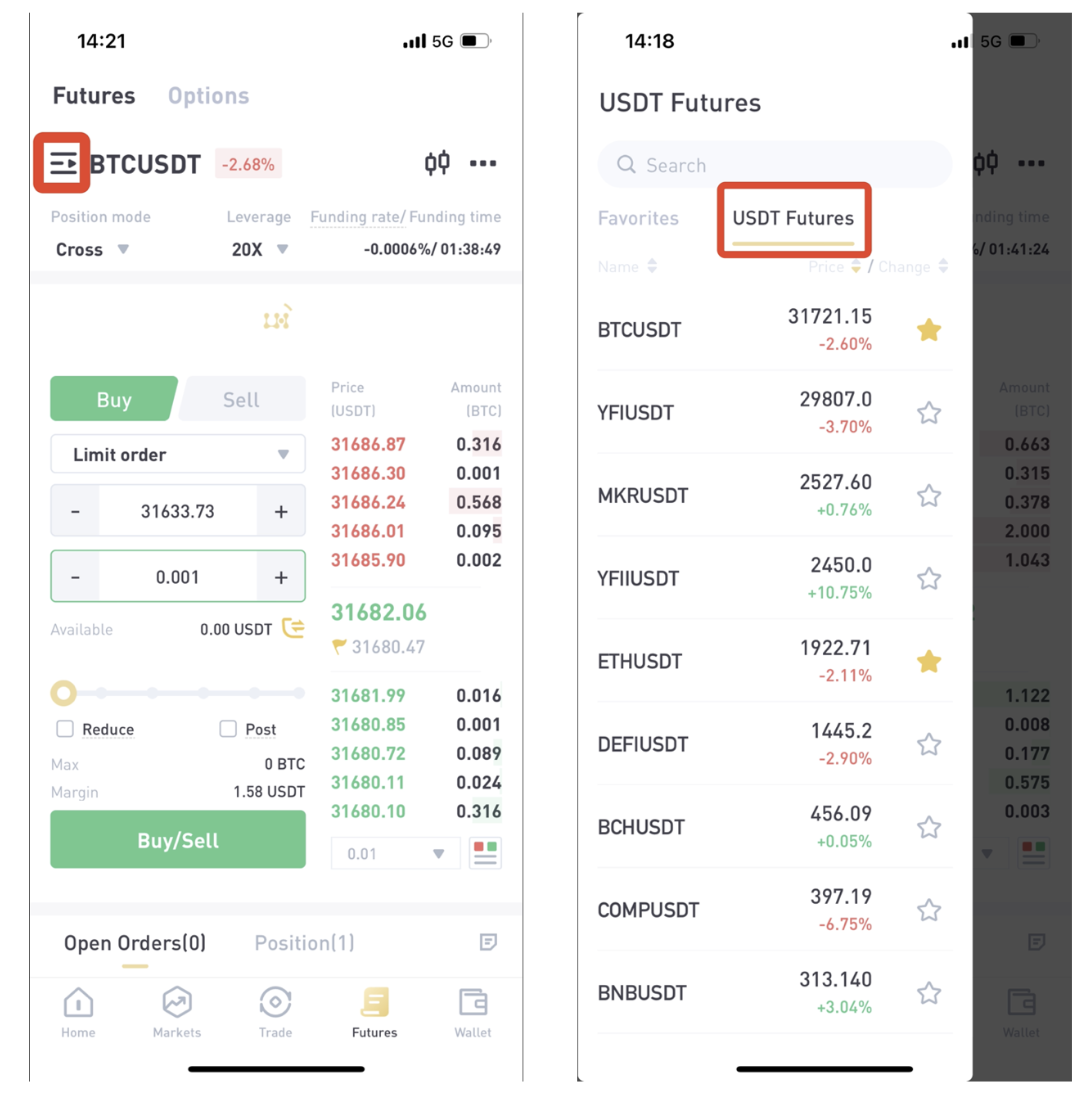
3, Click the navigation on the right, click [USDT Futures], choose trading pairs, also you can use the [search] to find trading pairs
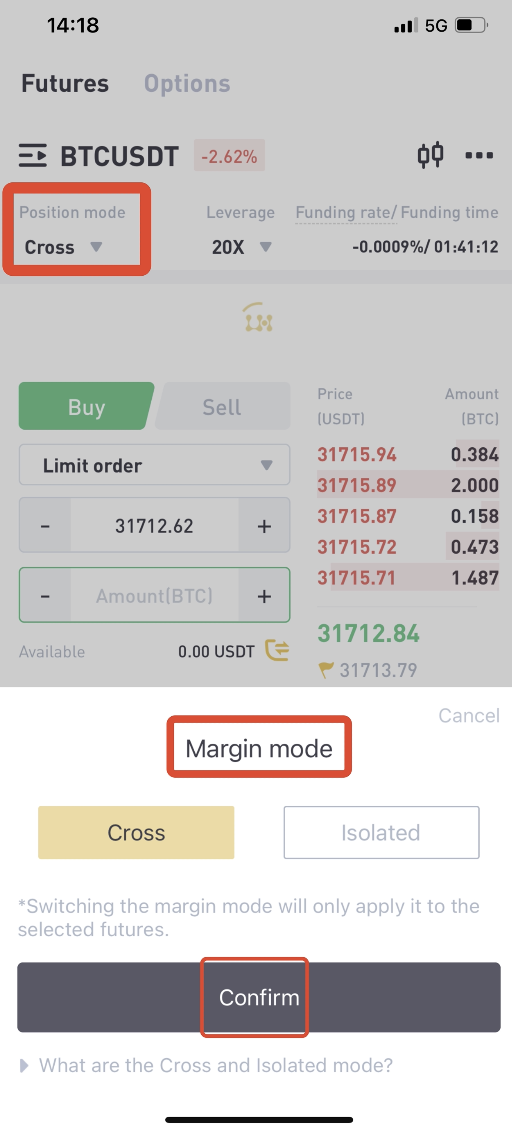
4, Click [Cross], choose Margin mode, you can choose [Cross] or [Isolated] Position mode, click [Confirm]
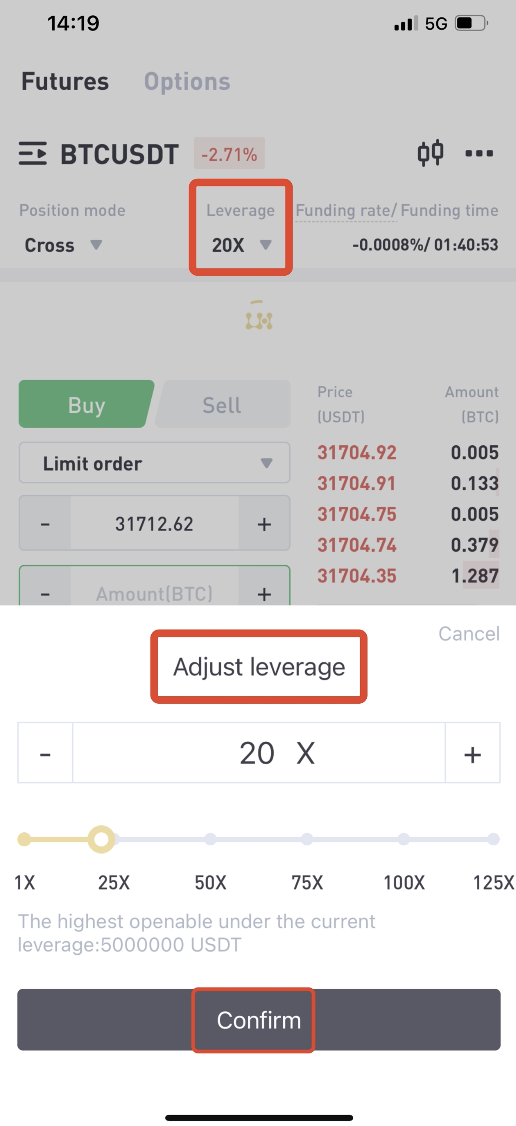
5, Click on the [Leverage] ,click [+] and [-], or slide to adjust the leverage.
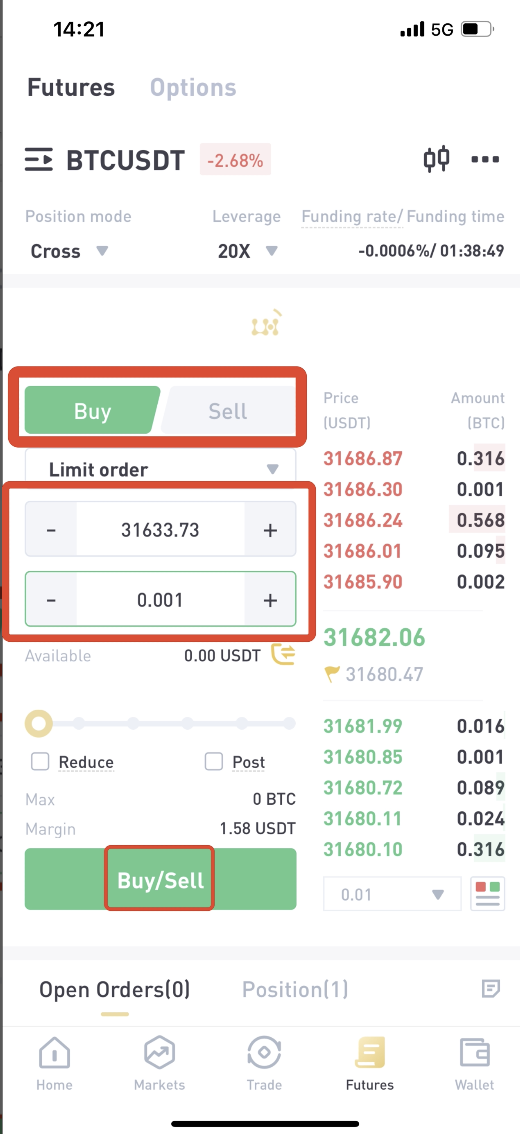
6, Types of One-way Mode Exchange
Choose to [buy] long or [sell] short, enter the Open price or Close price, enter Amount.
7, Types of Hedge Mode exchange
In hedge mode, users can hold both long and short positions at the same time under the same contract.
Users can choose [Open Long] or [Open Short],then complete the Future order.
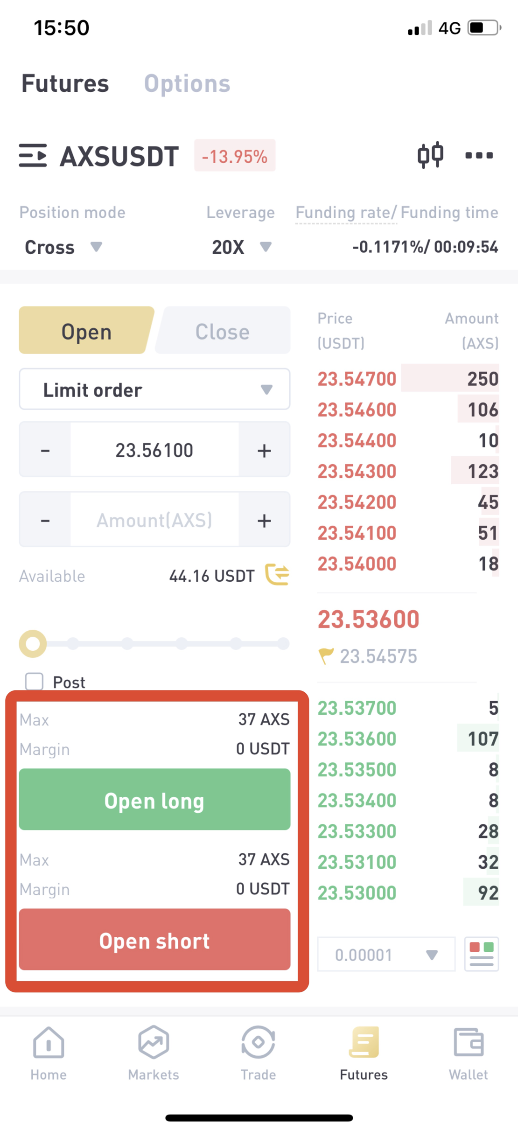
8, Click the historical order button on the right, review all open orders, order history, trade history and capital flow
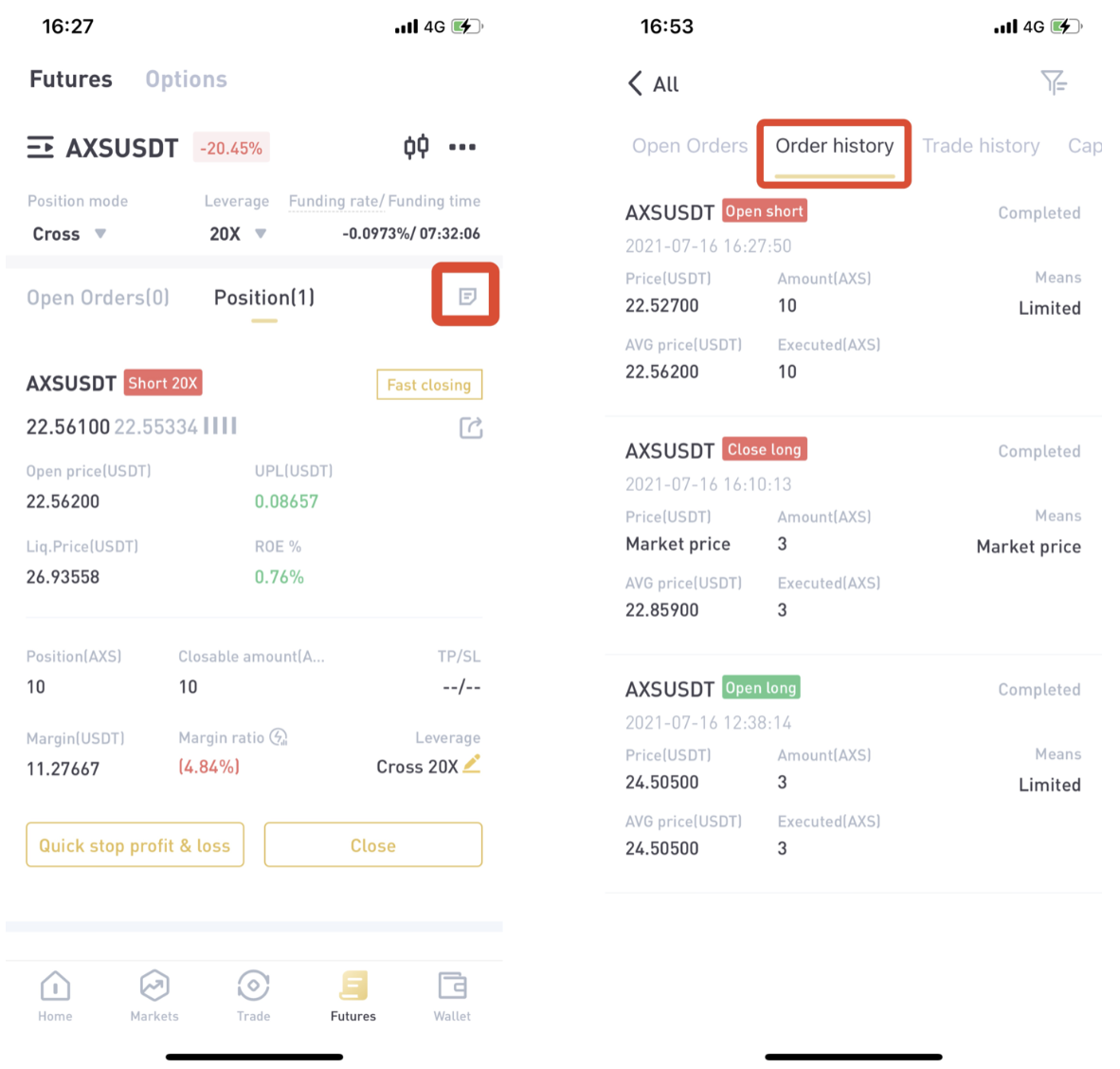
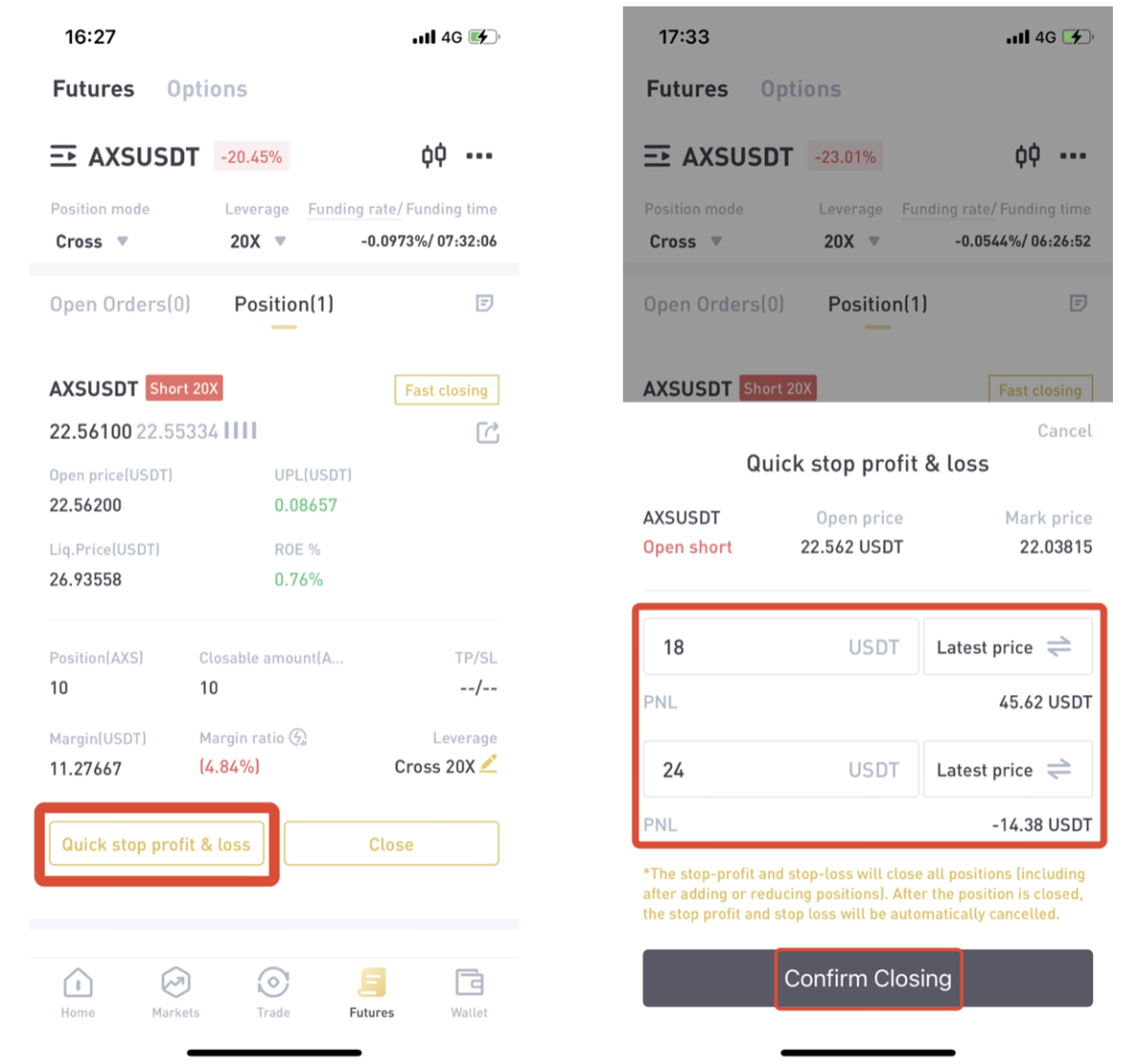
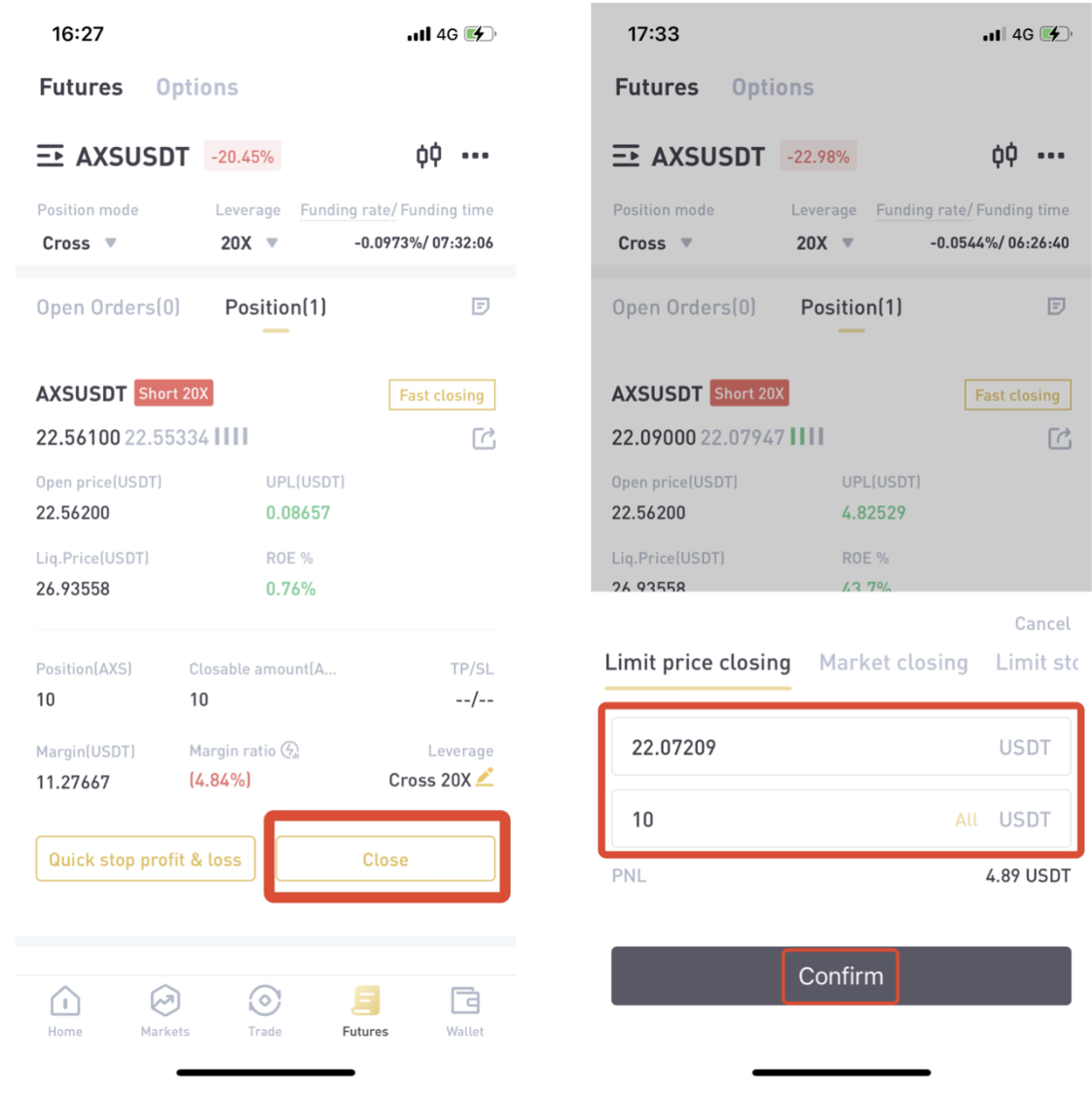
9, If you want toclosethe contract order, you can choose [Fast closing], or [Quick stop profit &loss], or [close]
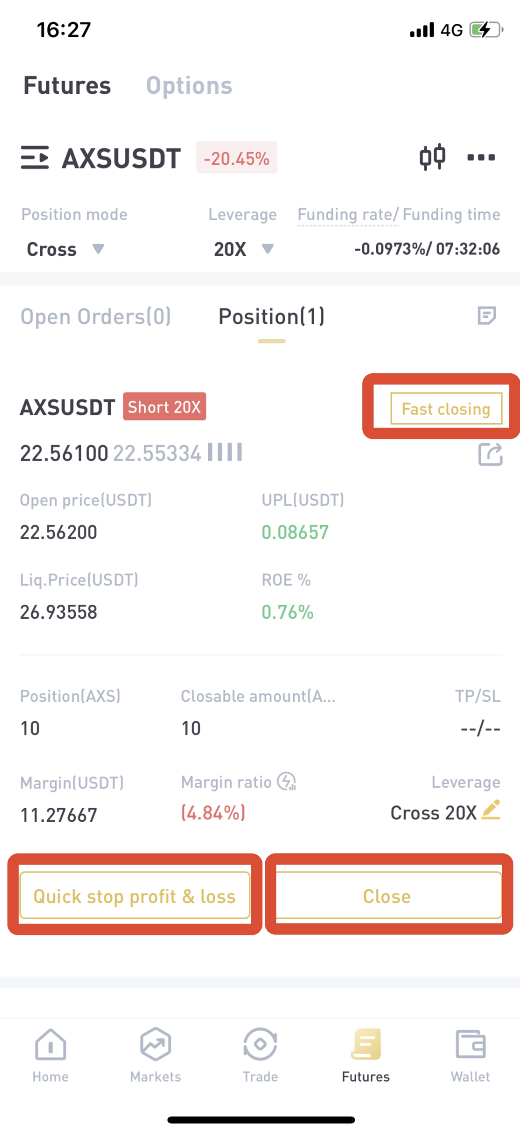
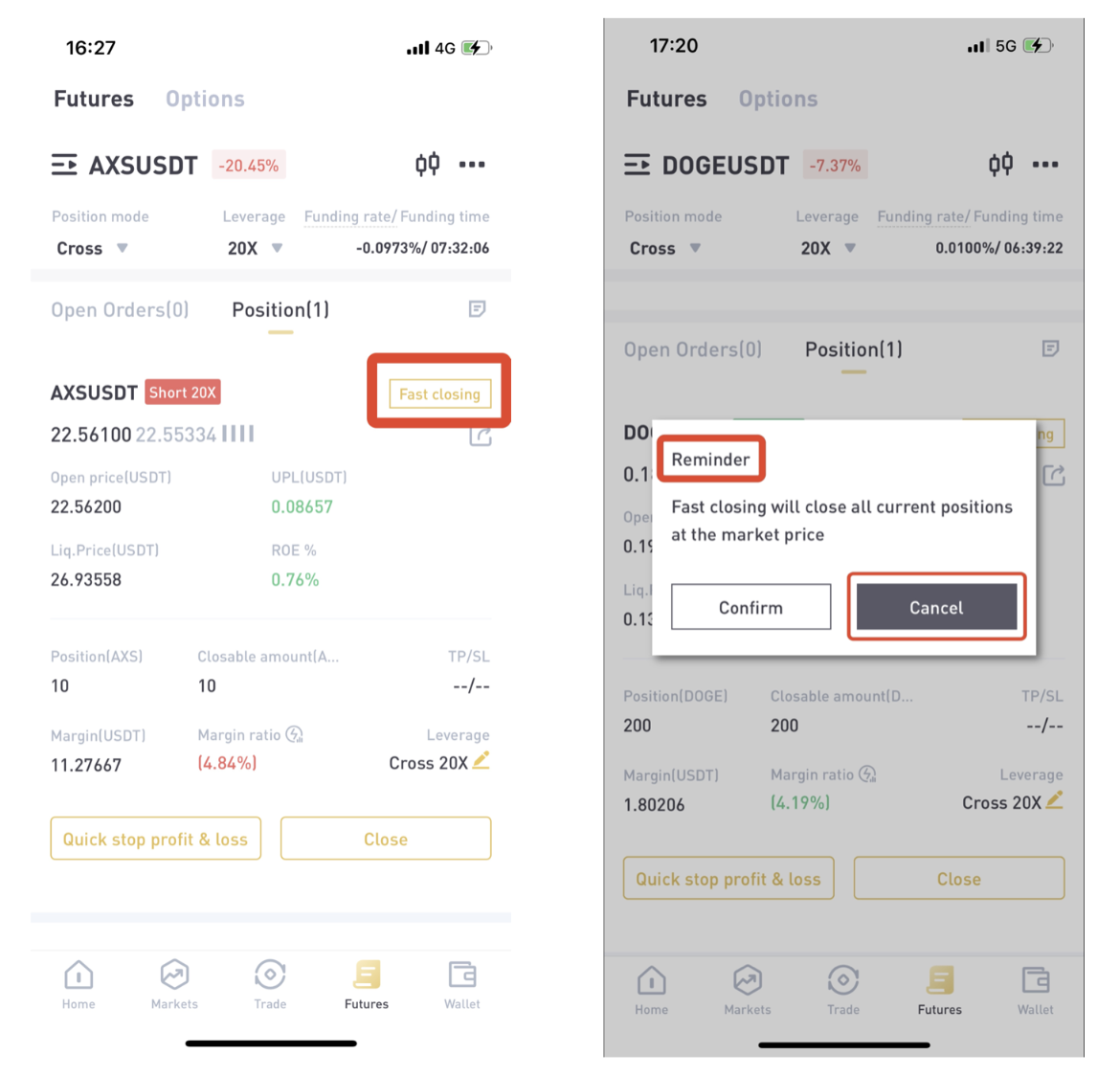
10, Click [Fast closing], it will close all current positions at the market price
11, Click [Quick stop profit & loss] to set [Profit price] and [Stop price], click [Confirm Closing] to close the Future order.
12, Click [Close] to find different ways of closing, enter price and amount, close the Future order
A Beginner’s Guide To Futures Trading (App)
Click here to download for iOS or Android
LBank community
Find us on:
Telegram: https://t.me/LBank_en
Twitter: https://twitter.com/LBank_Exchange
Facebook: https://www.facebook.com/LBank.info
Medium: https://medium.com/LBank
LinkedIn: https://www.linkedin.com/company/lbank
If you have problems, please contact LBank official email: service@lbank.info, and we will provide sincere, friendly and immediate service for you. We also welcome you to join LBank.info official English community to discuss the latest issue, (Telegram): https://t.me/LBank_en.