Dear LBank users,
As the LBank APP (iOS) may have a sign-off situation, there is a way to solve the problem.
Method: Use TestFlight download to ensure normal use
* Tip: Please uninstall the old version before downloading
Step 1: Please copy this link:
https://testflight.apple.com/join/H7h6Dkxt,and open it in your phone's own browser [Safari browser]:

Step 2: Click [View in App Store] and download TestFlight:
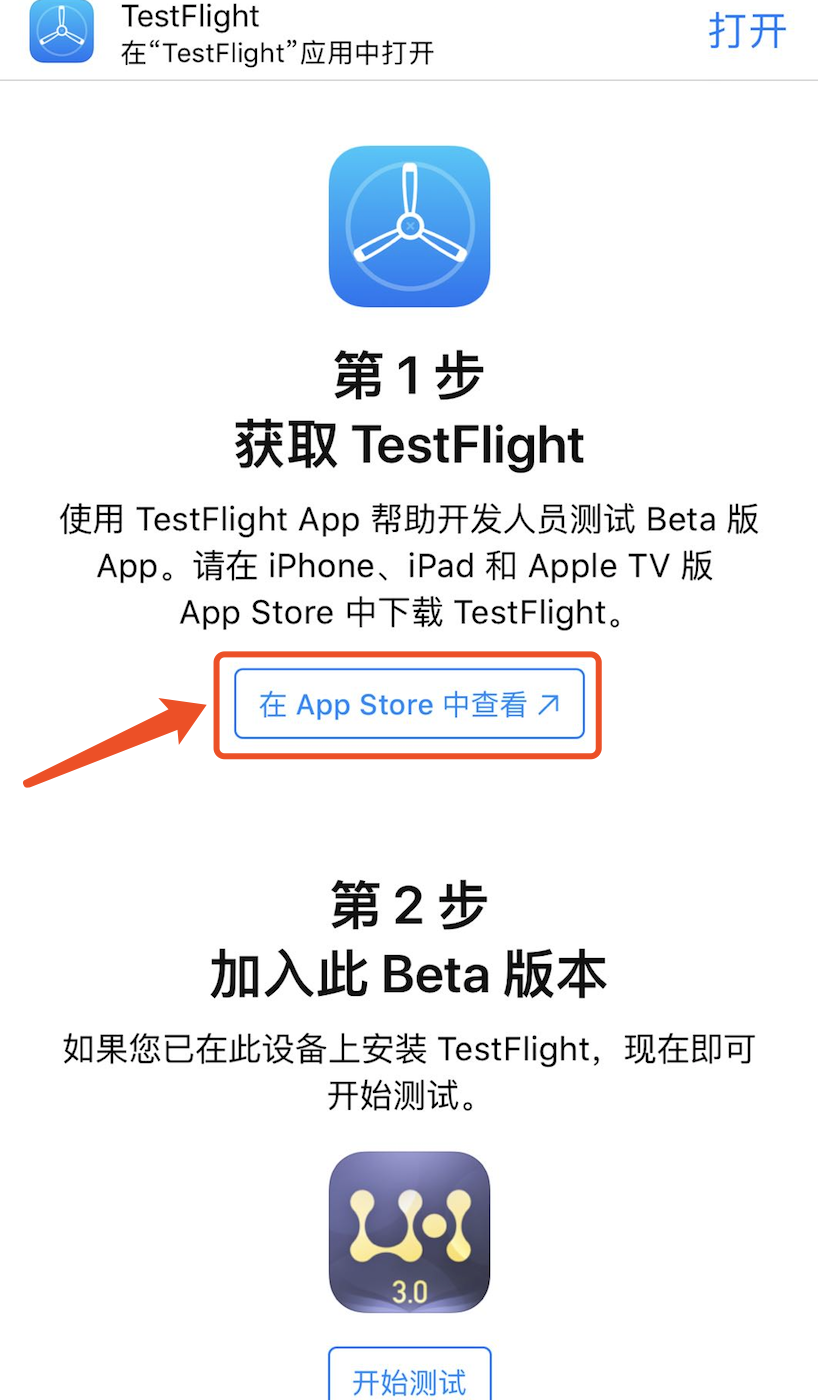
Step 3: Return to the Safari browser and select [Start Test], the page will automatically jump to TestFlight.
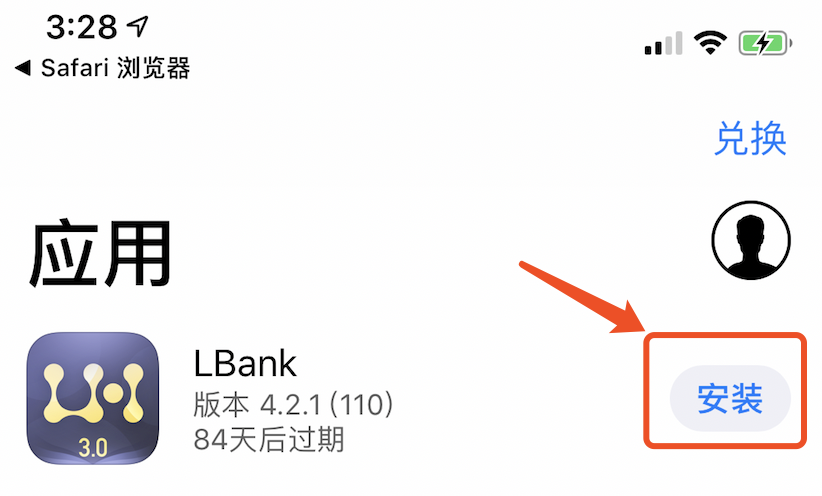
Step 4: On the TestFlight page, click [Continue] to jump to the LBank App download page and click [Install]. You can return to the desktop to see the downloaded APP:
Tip:
Update: If you need to update the version, please update directly in TestFlight.
Click here to download for iOS or Android
LBank community
Find us on:
Telegram: https://t.me/LBank_en
Twitter: https://twitter.com/LBank_Exchange
Facebook: https://www.facebook.com/LBank.info
Medium: https://medium.com/LBank
LinkedIn: https://www.linkedin.com/company/lbank
If you have problems, please contact LBank official email: service@lbank.info, and we will provide sincere, friendly and immediate service for you. We also welcome you to join LBank.info official English community to discuss the latest issue, (Telegram): https://t.me/LBank_en.